
Introduction and Purpose
The Industrial Information Interoperability eXchange (i3X) is a vendor-agnostic, open API standard proposed by CESMII (The Smart Manufacturing Institute). Its primary goal is to solve the "API Chaos" in modern factories.
By providing a common set of server primitives, i3X allows applications to browse, read, and write industrial data with its full context.
You can find the i3x API Docs here
This is an initial release for this specification and as this standard is developed further, we will extend this connector to adapt to those changes.
Connector Environment Setup
The i3X connector is configured to communicate with the public i3X prototype server.
- Host: api.i3x.dev
- Protocol: HTTPS (TLS enabled)
- Authentication: Currently set to None for the prototype environment.
(These will change based on your i3x implementations)
Connector Functions
Example inputs to test these functions are mentioned in the connector function description field.
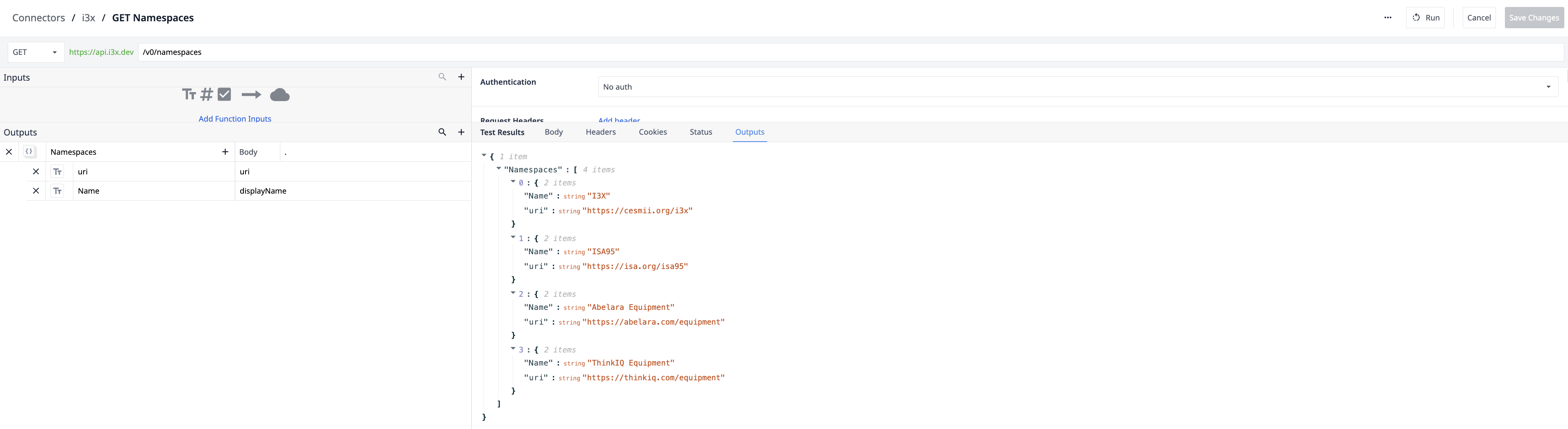
- GET Namespaces: Retrieves a list of available data sources or facility "Namespaces". Use this to let users select which part of the factory they are viewing.
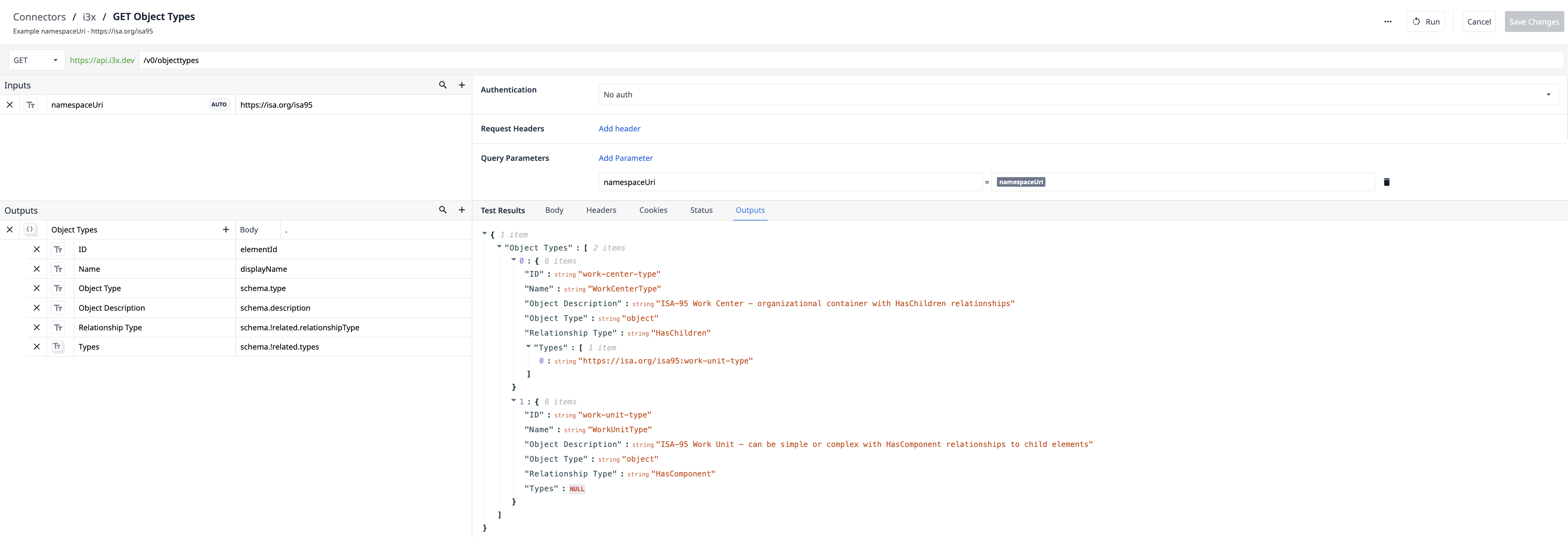
- GET Object Types: Returns the technical definitions (types) within a namespace. For example, it identifies what a "Pump" or "Mixer" looks like in the data model.
-
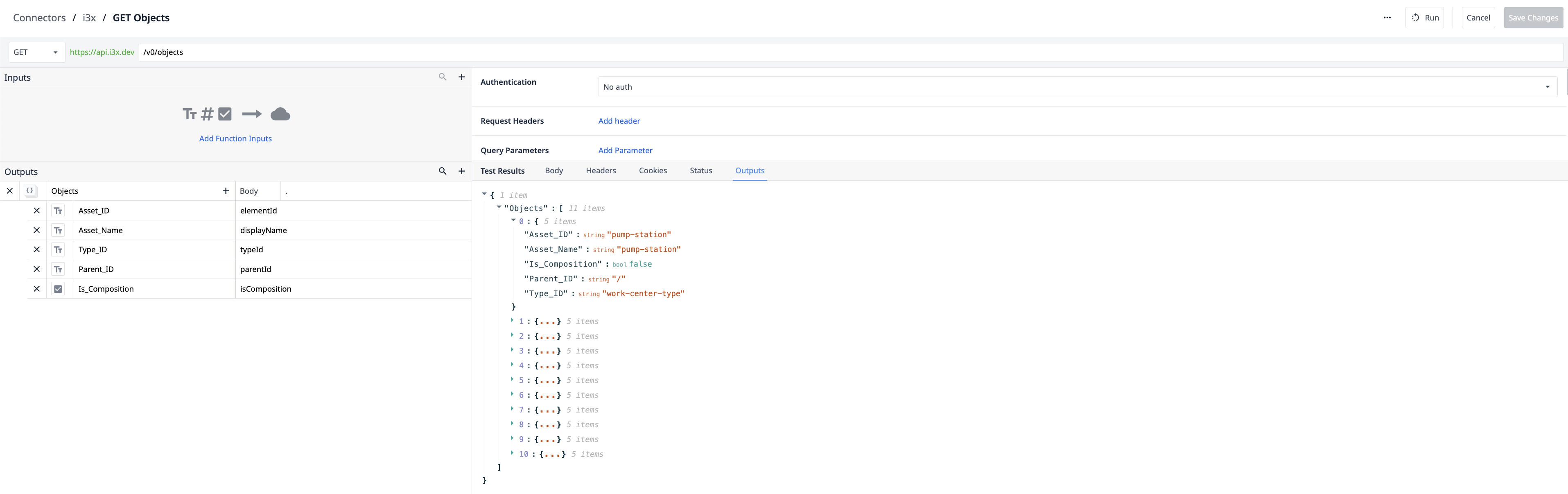
GET Objects: Fetches a list of all physical or logical assets, including their names and where they sit in the factory hierarchy.
-
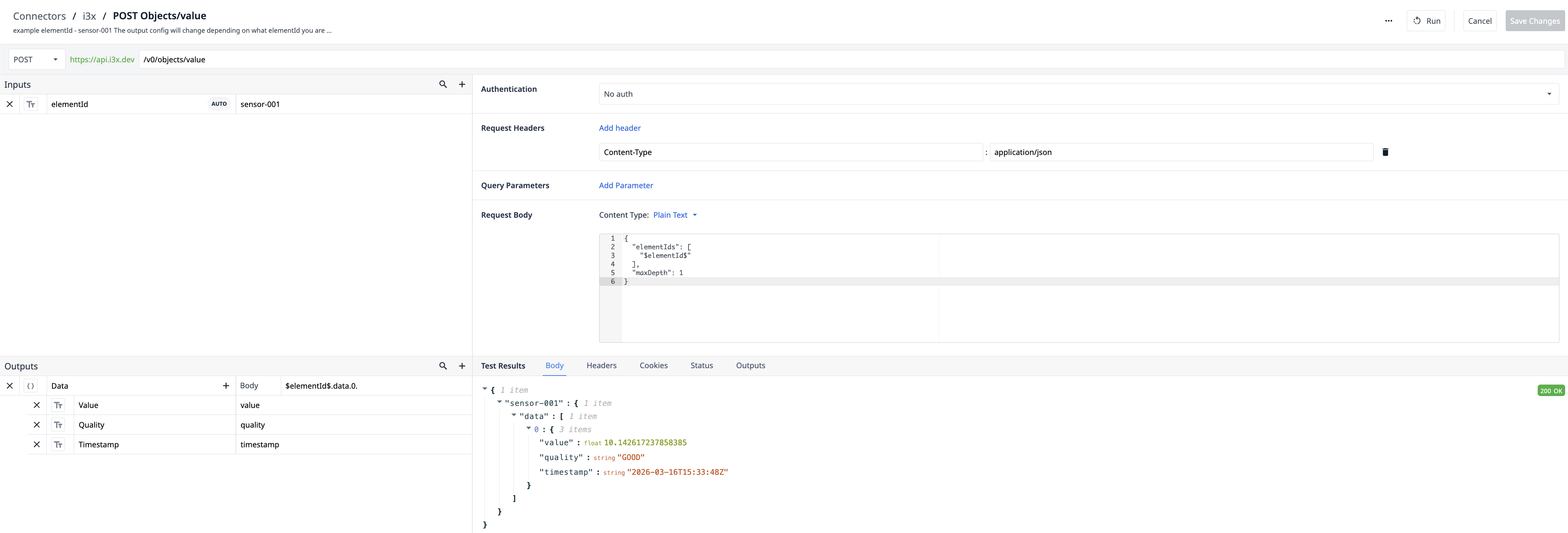
POST Objects/value: Retrieves the Last Known Value for a specific asset. This is used in Tulip "Gauges" or dashboards to show live telemetry like temperature or speed.
-
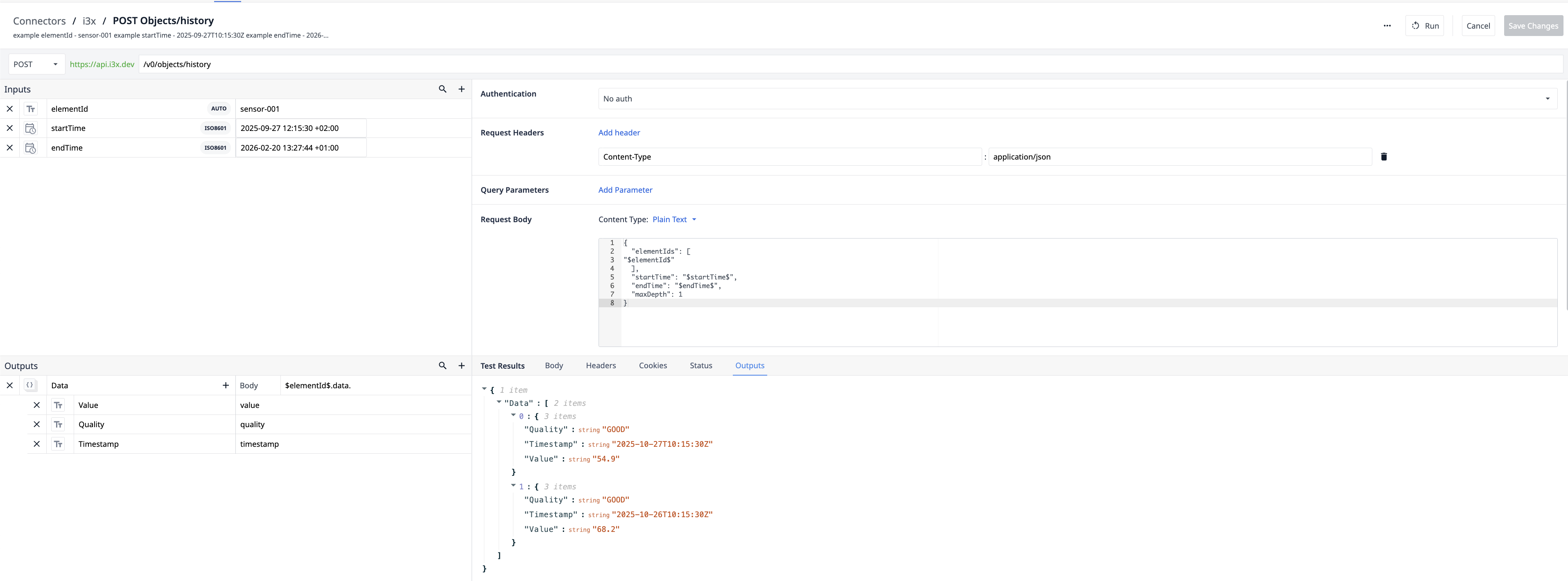
POST Objects/history: Pulls an array of historical data points between a specified startTime and endTime. Ideal for shift reports and trend charts.
-
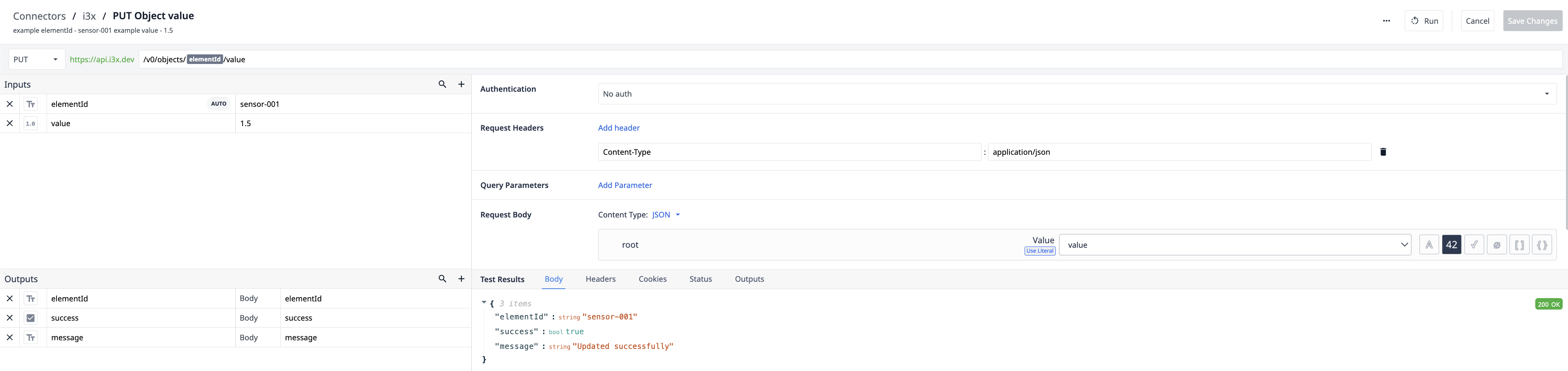
PUT Object value: Allows Tulip to write data back to the i3X server. This can be used for resetting counters, updating setpoints, or acknowledging alarms directly from the shop floor.
Further Reading
Learn more about Tulip connectors in the Connectors Documentation.
To ask questions, share ideas, and discuss use cases, join the Tulip Community.