
Discover new possibilities and smoother development with the latest enhancements to Tulip Custom Widgets.
Custom Widget updates are rolling in r332. Read more about the runtimes here
Custom Widgets are a powerful way to extend the Tulip platform, serving as a testing ground for the Tulip team and for users.
Custom widgets improvements improve their power, ease of use, and integration abilities, focusing on API interactions, new device access capabilities, usability, and stability.
A focus of these improvements has been the Custom Widget iFrame Sandbox, which improves the ability to connect with external systems and Tulip APIs.
New runtime options: legacy vs. updated
Custom Widgets now support two runtime environments: Legacy and Updated.
The updated runtime has enhanced security and performance, especially when dealing with external API calls and a plethora of new device access (as noted below).
New device access through Custom Widgets:
Extend your Custom Widgets with direct access to device functionalities:
-
Cameras: Empower widgets to take images for inspections, defect tracking, or visual documentation.
-
Microphones: Enable audio recording directly within widgets to simplify documentation, capture voice notes, or enhance instructional content.
-
Geolocation: Allow widgets to retrieve user or device location to track assets, provide location-aware information, or enhance logistics workflows.
-
WebUSB: Capture data directly from a variety of USB devices, bringing more physical-world data into your Tulip applications.
-
WebSerial: Monitor and control serial devices, enabling communication with a wide range of industrial equipment and sensors.
Enhanced Data Persistence for Custom Widgets:
- Local Storage: Custom widgets can now access local storage for more efficient caching or retention of information across steps.
Usability and developer experience
Runtime information
-
From Account Settings, navigate to the Custom Widgets page.
-
Click on the row of any custom widget to open the information side panel.
-
Under the name in the information panel, a field will indicate the runtime of the current widget (Legacy for existing widgets).
Enable cross-domain runtime
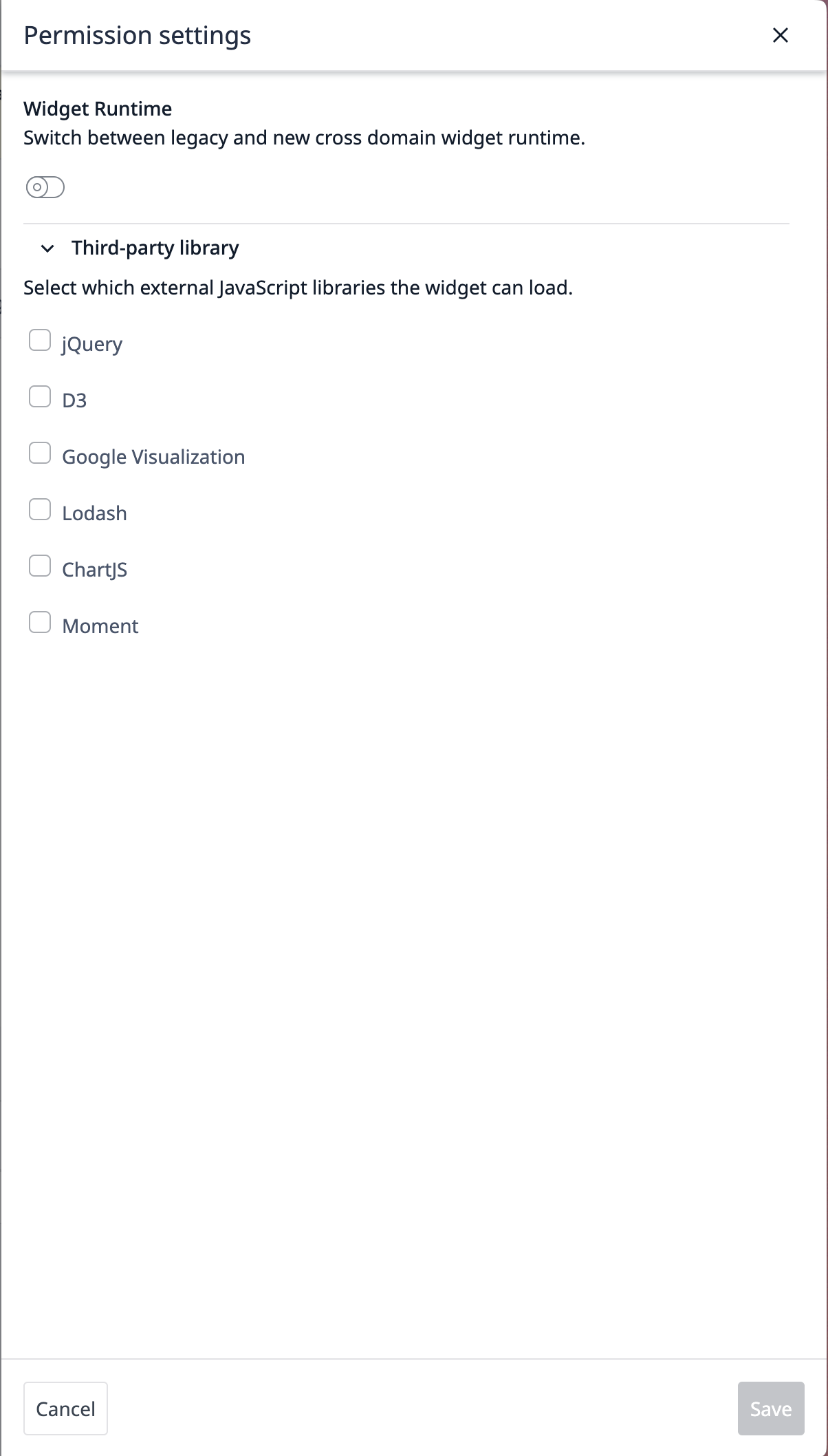
- In the Custom Widget information side panel, click the Edit link next to the Permissions heading.
This will open the permissions settings side panel. For Cross-domain enabled instances, the toggle can change the runtime of the specific custom widget.
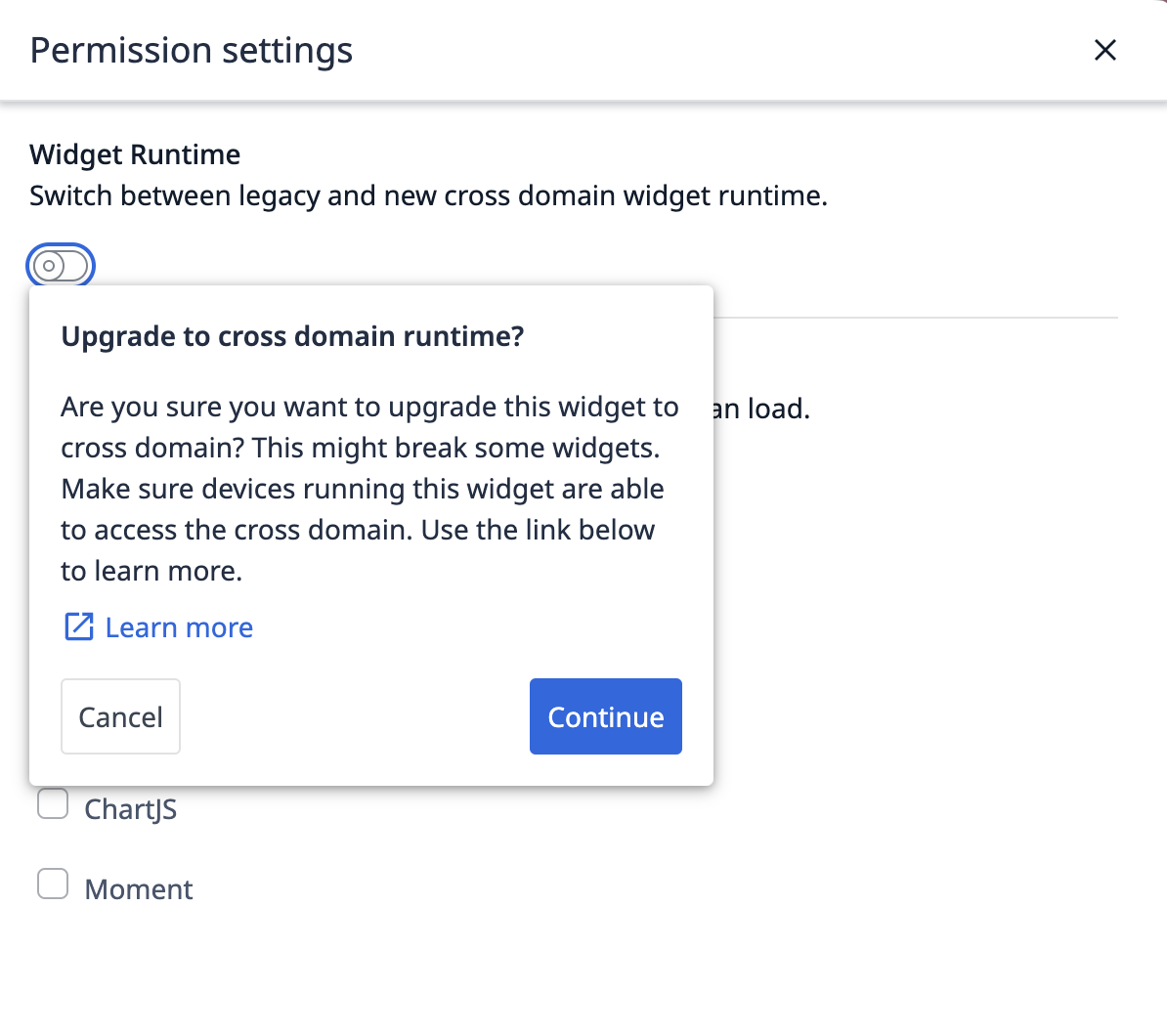
When switching from Legacy to Cross-domain, you will see the following warning:
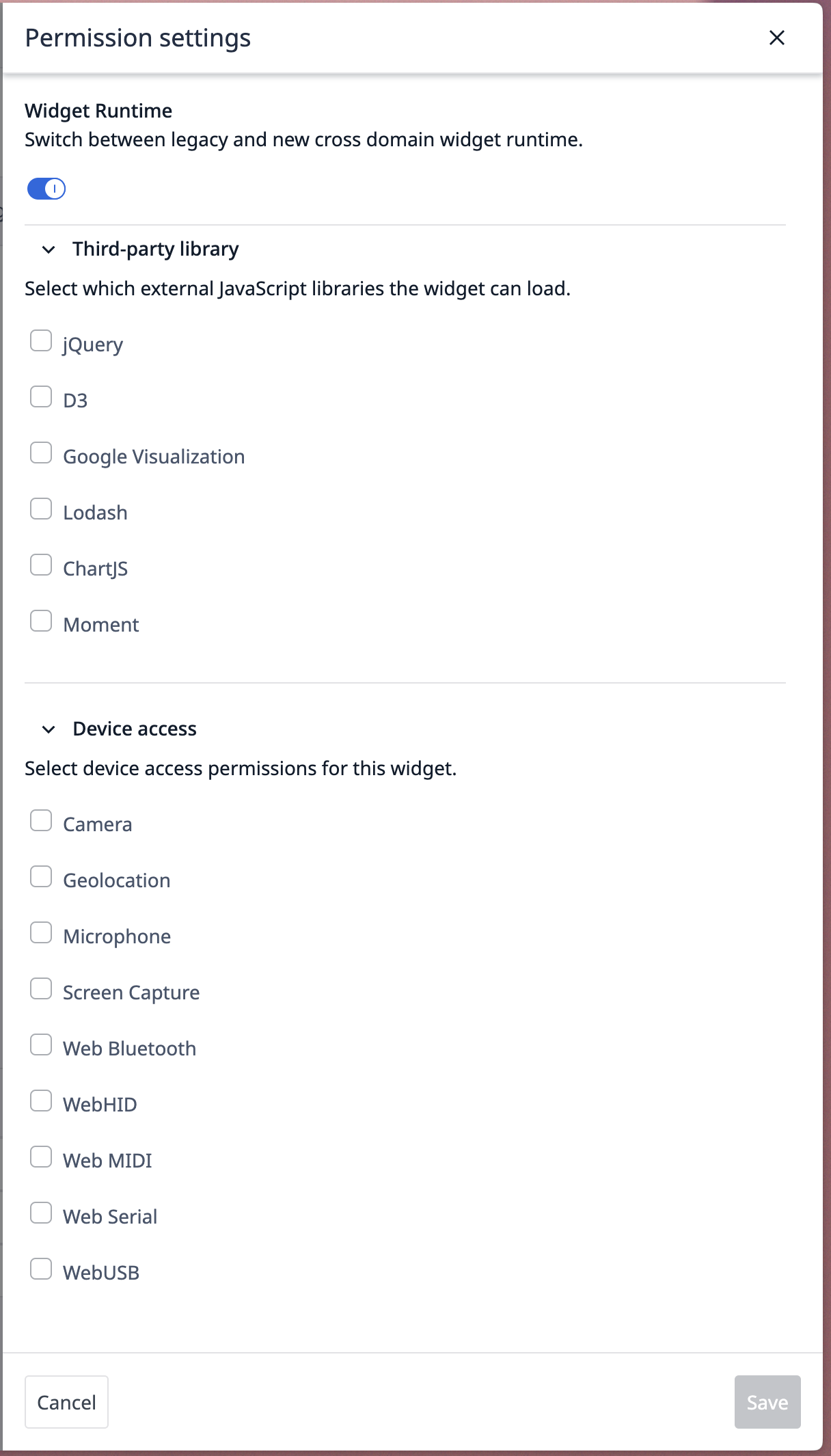
After saving changes to Cross-domain runtime, if you reopen the permissions settings, you should see the new Device Access Permissions section.
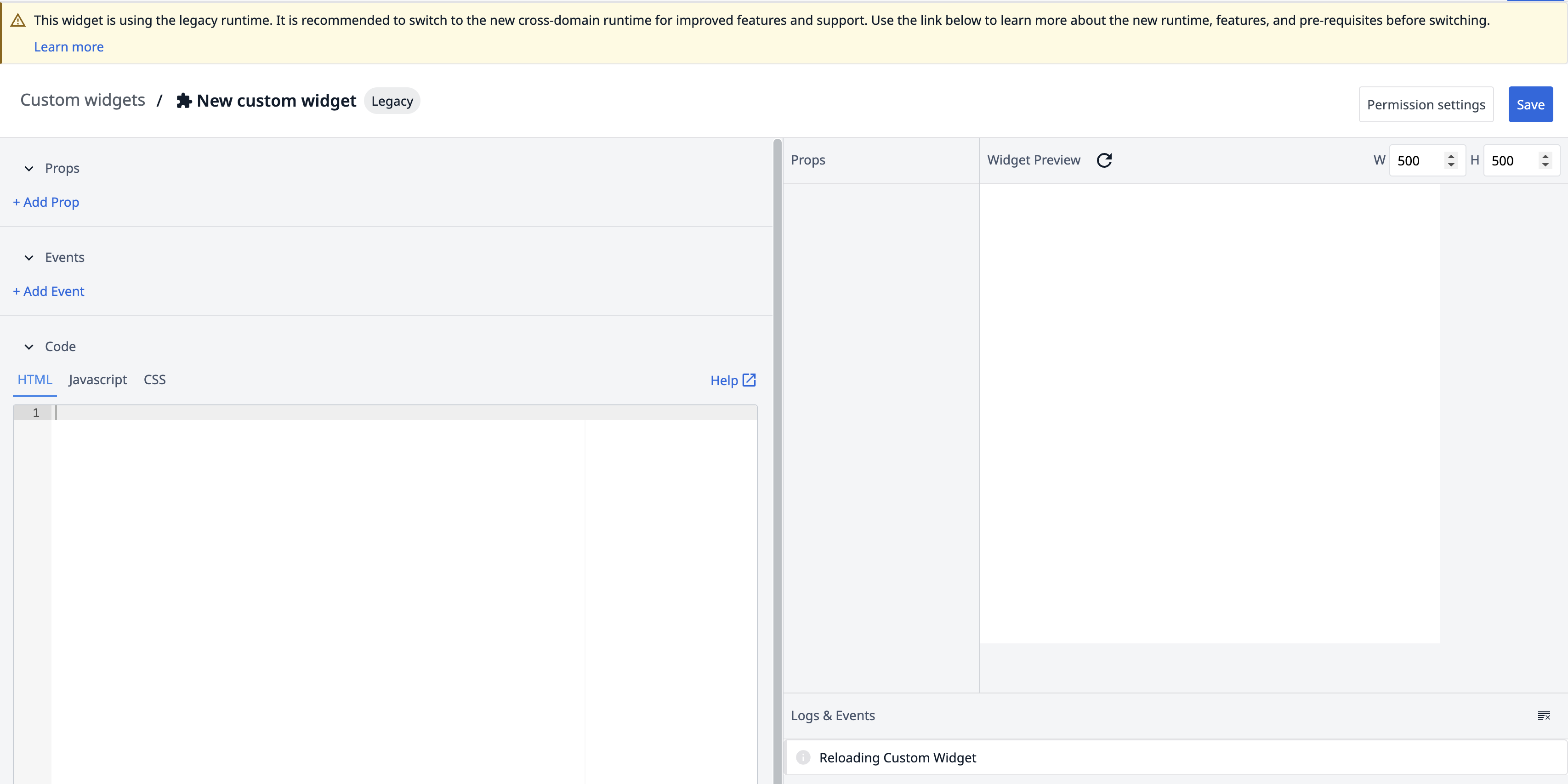
Editor experience with runtimes
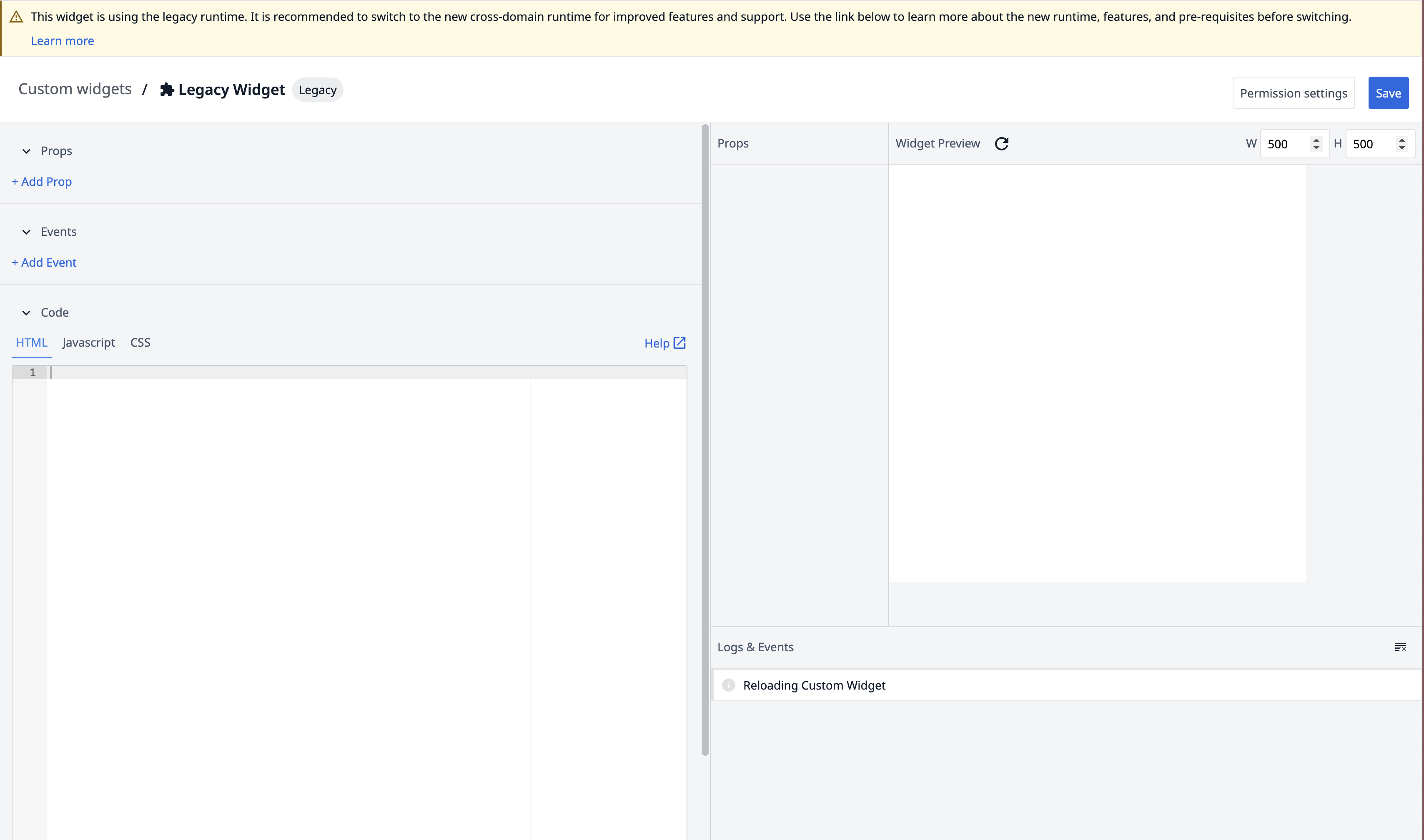
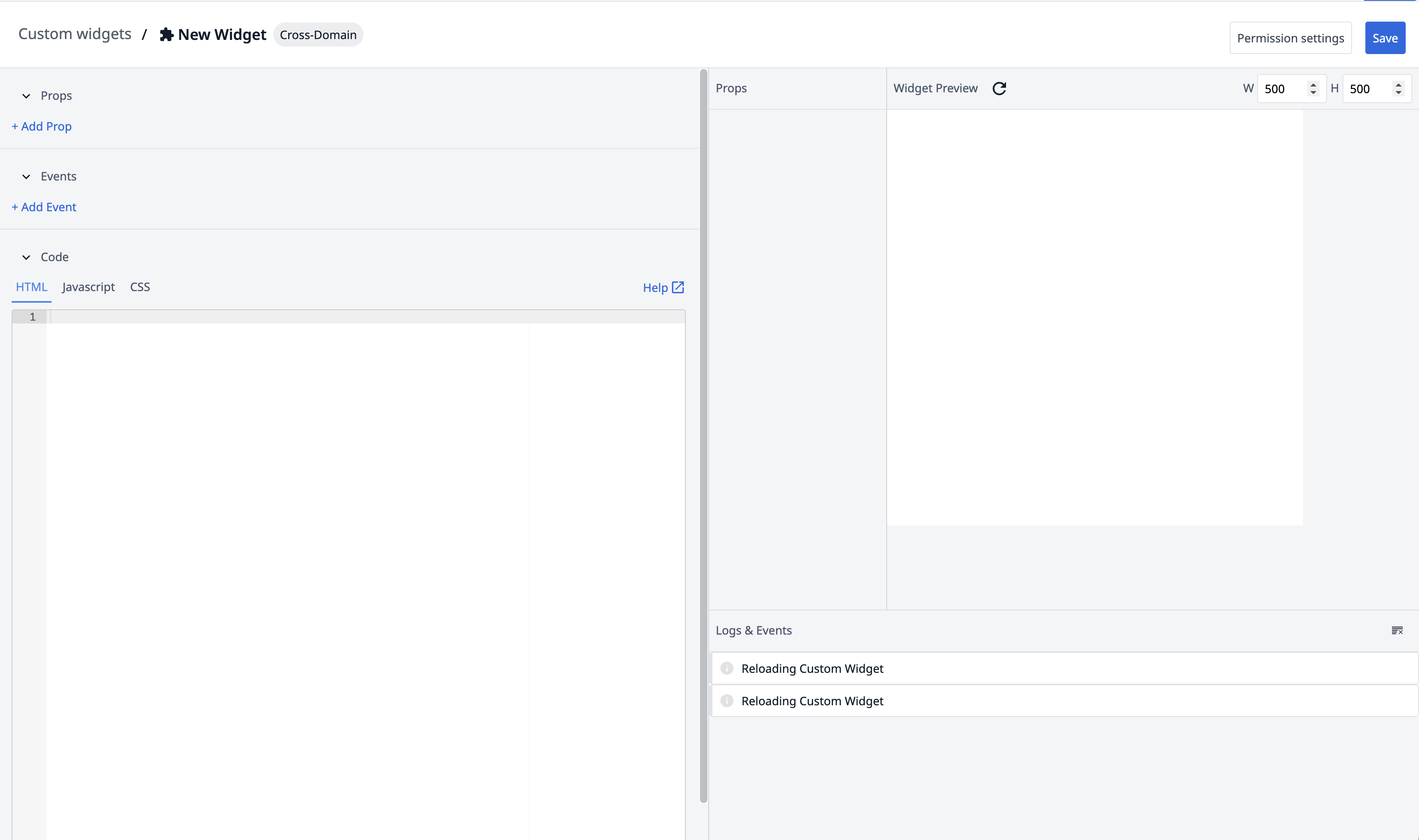
In the Custom Widget editor, a pill next to the widget name will indicate the current runtime (e.g., Legacy or Cross-domain).
For Legacy widgets, a warning will be displayed at the top of the editor page, indicating that you are running a legacy custom widget. This warning does not appear for Cross-domain widgets.
Switch back to Legacy:
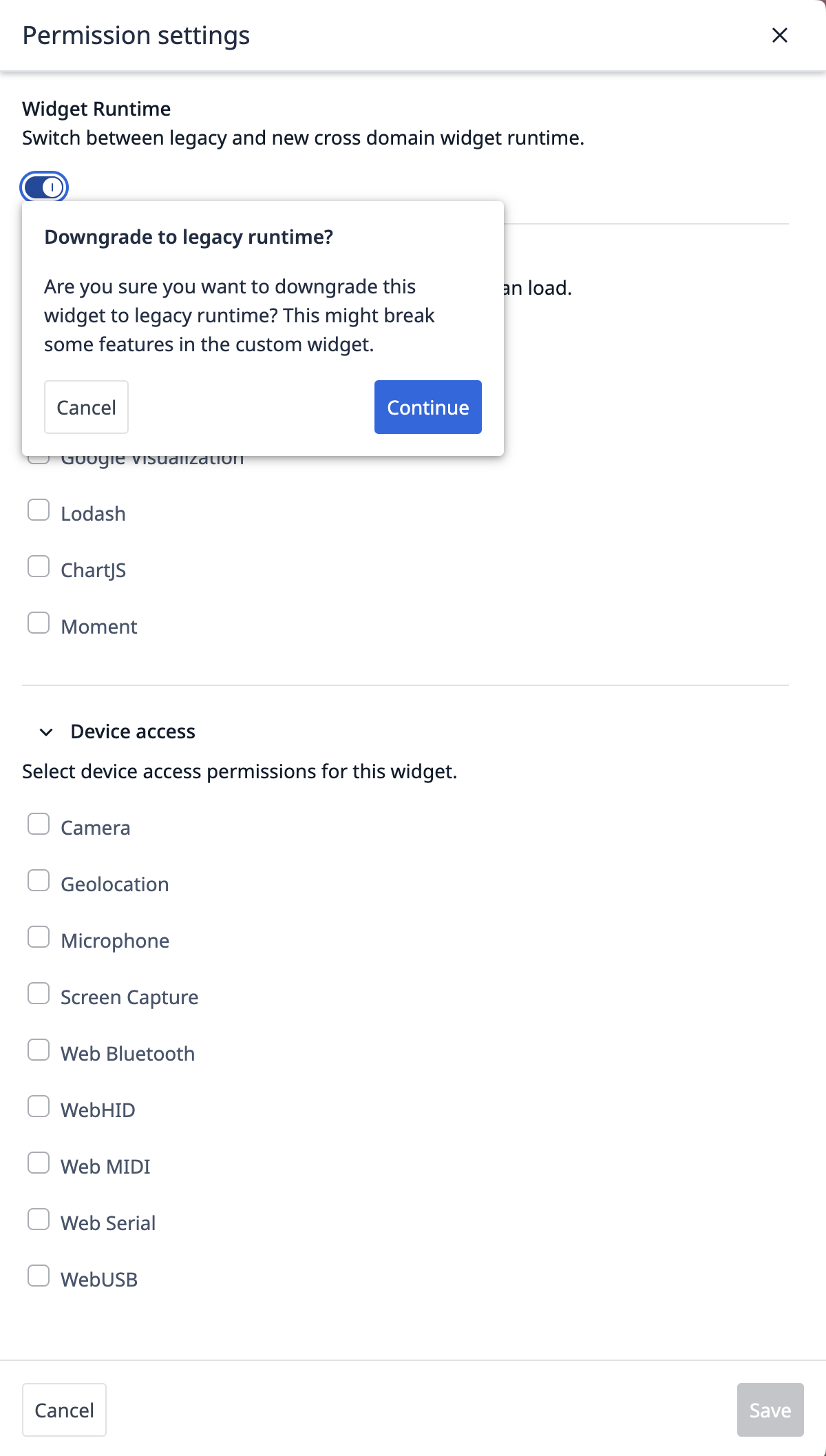
When changing a Cross-domain widget back to Legacy runtime, you will see the following warning:
Discoverability and navigation
Custom Widgets are more visible within the platform and will be easier to manage and edit. This includes easier ways to access the widget editor and a clearer presentation of widget information.
Development
Expect a smoother development experience with enhancements, such as:
* Better autocompletion for widget functions.
* Improved event tracking capabilities within widgets.
* More robust error handling and debugging aids.
User interface and workflows
We've addressed various, small UI and workflow issues that will improve widget building and usability, including:
- How widget lists are displayed
- How permissions are managed
Loading and performance
Improvements to the Custom Widget loading mechanism will ensure better performance and reliability, including:
- Retry logic for loading cross-domain widgets
- Error messages if access is blocked
What's next
These investments in Custom Widgets are a testament to Tulip's belief in their potential for extensibility. By providing more robust tools and capabilities, we aim to empower users to create innovative solutions and address specific use cases with the Tulip platform.
The Tulip team will be closely tracking the adoption and impact of these new features to continue refining and expanding Custom Widget functionality.
Examples
The following custom widgets from the Tulip Library demonstrate the new and improved capabilities highlighted in this article.
Scheduling Widget
This widget enables users to view, create, and manage scheduled tasks or events within a Tulip app. Its interactive interface makes it easy to organize work, assign resources, and track upcoming activities directly in your workflow.
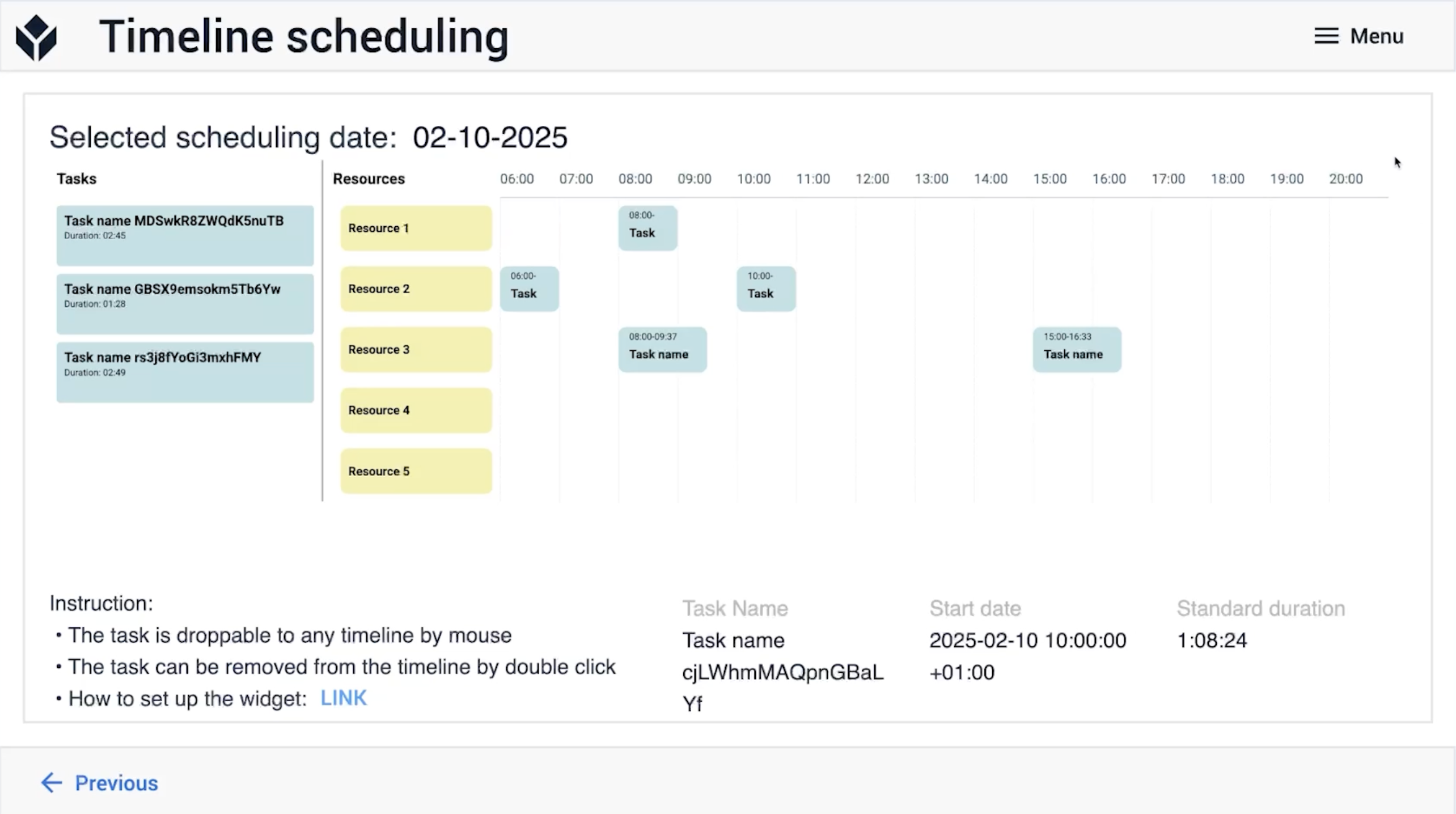
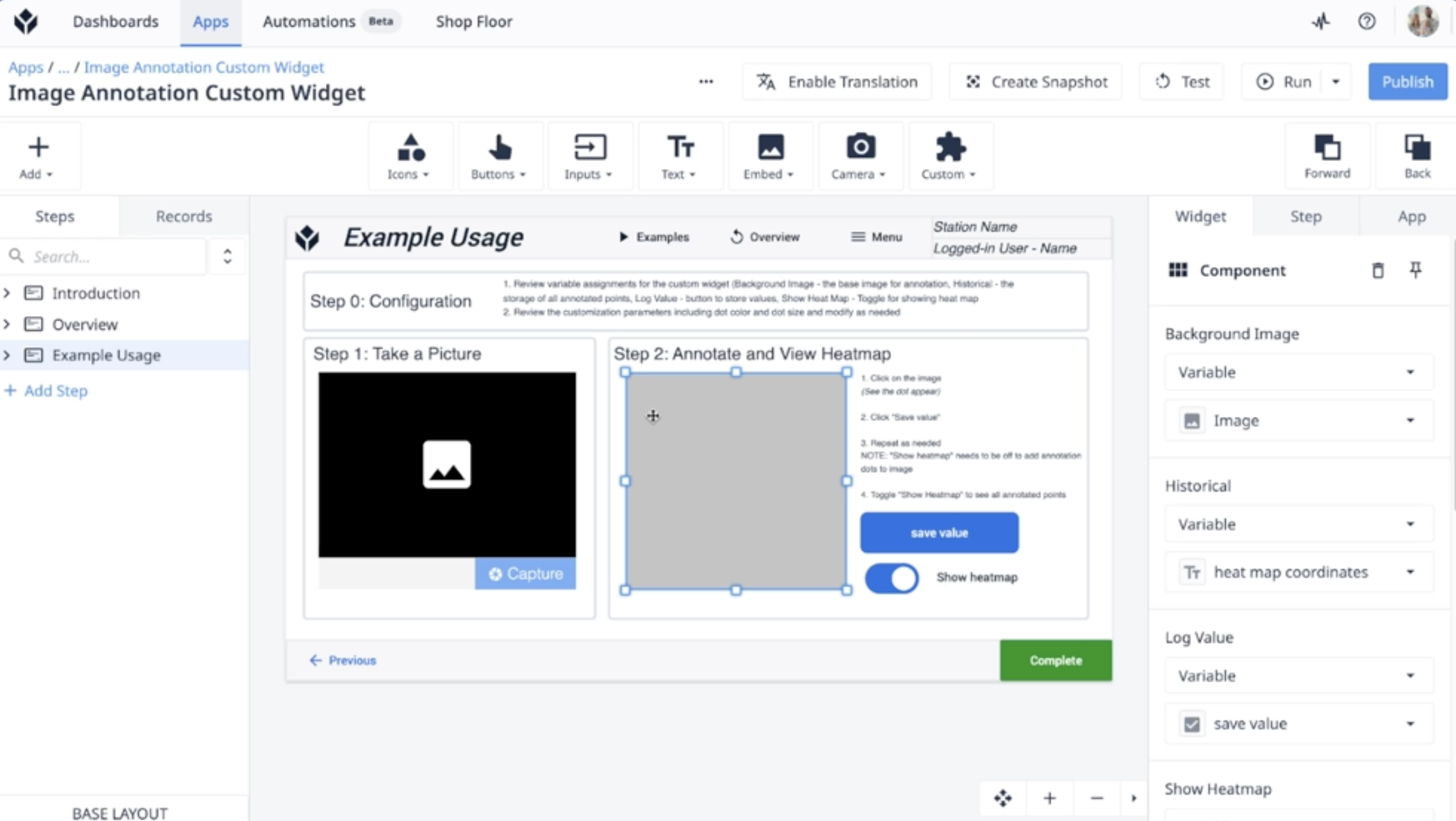
Image Annotation Widget
This widget allows users to draw, highlight, and add notes directly on images within a Tulip app. It is ideal for marking up visuals, providing feedback, or documenting issues right on the relevant images.
Did you find what you were looking for?
You can also head to community.tulip.co to post your question or see if others have solved a similar topic!