

Learn about fundamental concepts about solution design and architecture, with additional resources for each.
App solution design
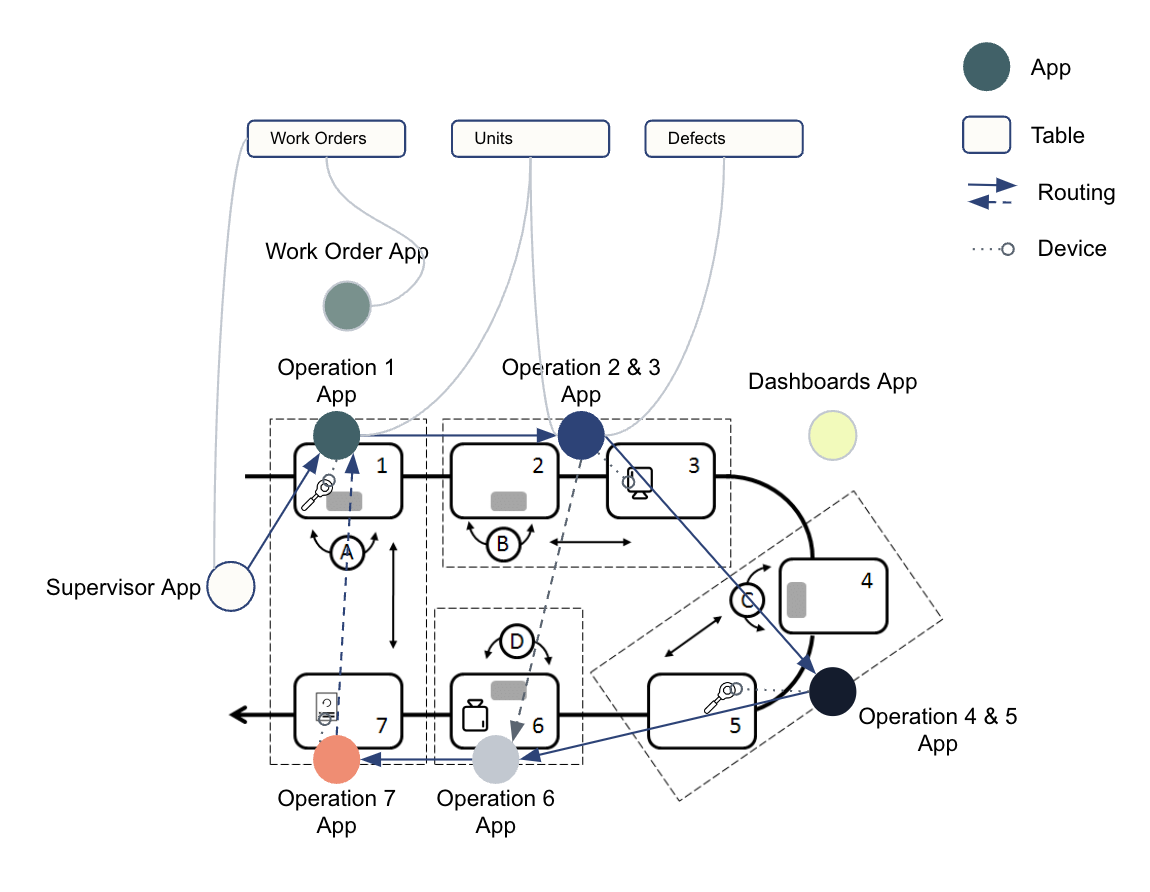
App solution design is the methodical approach to building applications within the Tulip platform that address specific operational requirements. This process starts with analyzing workflows and system integrations, then mapping out data structures, user interactions, and logic flows.
Well-designed apps emphasize simplicity, adoptability, human-centric approach, and productivity focused for scalable and efficient digital operations.
Relevant articles
Tulip University course
Data models
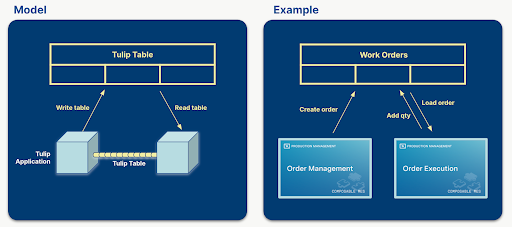
Tulip data models allow developers to define and manage structured data within the platform using Tables, as well as other features.
A data model supports relational links, access control, and integration, to provide a consistent way to represent key business entities and ensure scalable, reliable data handling across applications.
Relevant articles
- Common data model
- Example: Use the common data model for discrete use cases
- Example: Use the common data model for pharma use cases
Tulip University course
- Tulip common data model
- Common data model: General manufacturing tables
- Common data model: Pharma tables
Integration to transactional business systems (e.g. ERPs)
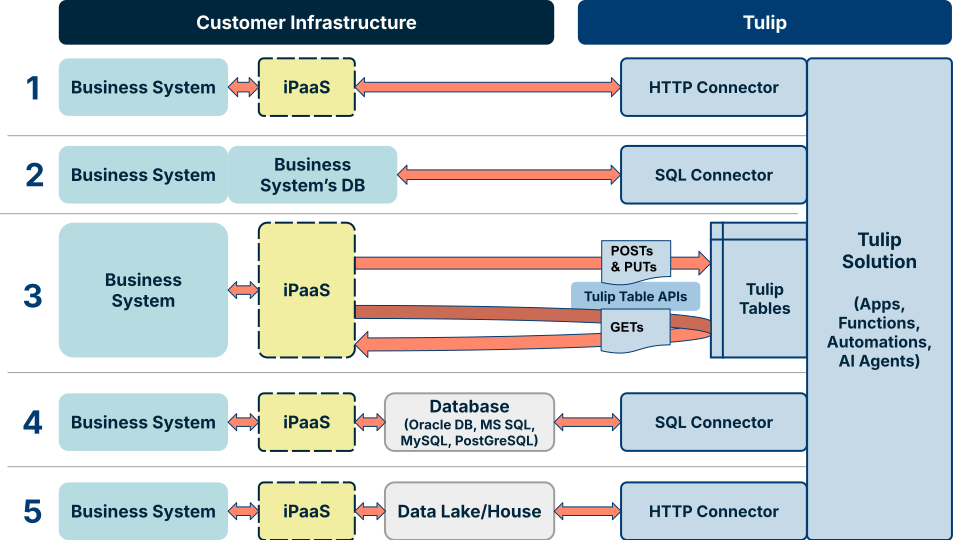
Integrations between Tulip and transactional business systems (e.g., ERPs) enable seamless data exchange and process automation. Tulip supports integration methods including connectors, REST APIs, and middleware solutions to facilitate real-time or scheduled communication with external systems.
These integrations allow users to automate workflows, maintain data consistency, and extend operational visibility by bridging frontline activities with core business processes. Proper integration design ensures reliability, security, and scalability in enterprise environments.
Relevant articles
Tulip University course
Integration to machines and devices
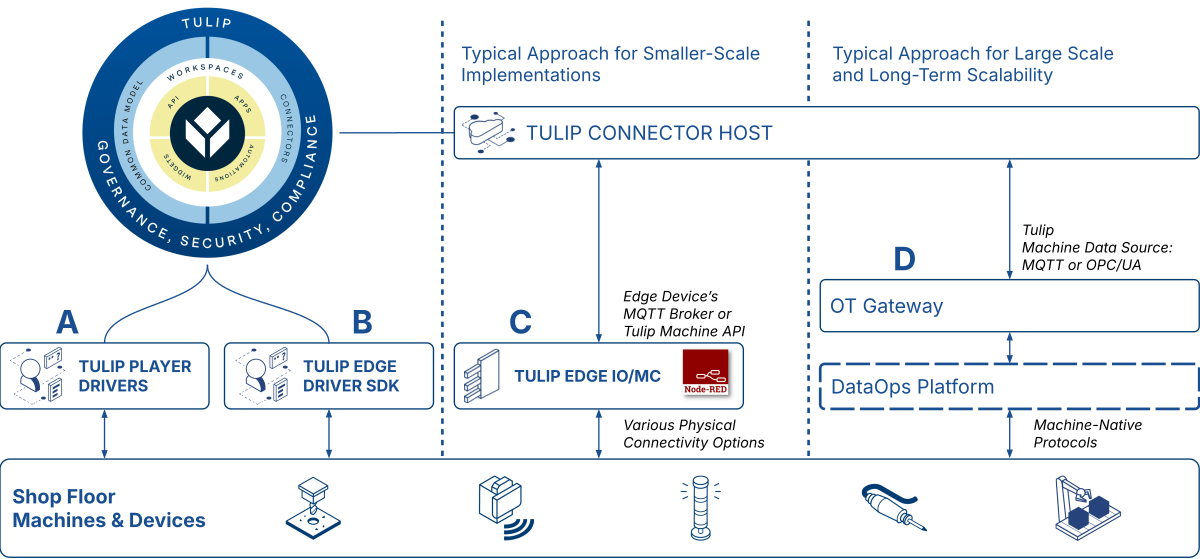
Integrations to machines and devices enable direct connectivity between the Tulip platform and shop floor equipment. Using protocols such as OPC UA, MQTT, and Tulip’s device drivers, users can collect real-time data from machines and devices, create app logic based on states or outputs, and send commands to equipment.
These integrations facilitate automation, improve data accuracy, and help unify machine data with operator workflows for enhanced visibility and control.
Relevant articles
Tulip University course
- Machine monitoring in Tulip
- How to connect machines to an OPC UA server
- Getting started with the Edge IO
Did you find what you were looking for?
You can also head to community.tulip.co to post your question or see if others have solved a similar topic!