
Users on Enterprise plans.
OpsMoto is a data visualization and analytics tool that lets you explore your entire Tulip deployment. It aggregates the data from your Tulip instances into one experience that you can query, search, and filter. OpsMoto focuses on Tulip adoption, usage, health, and activity.
OpsMoto is currently in Beta Version, which is provided "as is,” and is open to Enterprise Customers. If you’d like to be included please reach out to your CSM to be onboarded.
Please note:
- OpsMoto does not include data from GovCloud or FedRamp instances.
- OpsMoto is only available in English.
- While currently free, OpsMoto pricing may change.
- For more information about Beta Versions and their use, refer to our terms of service.
OpsMoto data
OpsMoto is built on a modern tech stack and syncs data on a daily basis.
The following data is included:
- Instances
- Workspaces
- Apps
- Automations
- Users
- Connectors
- Enterprise Library
The following data is excluded:
- Instances based in China
- GovCloud instances
- FedRamp instances
OpsMoto page
OpsMoto includes interactive charts and tables to access data.
Use the tabs at the top to navigate to different pages.
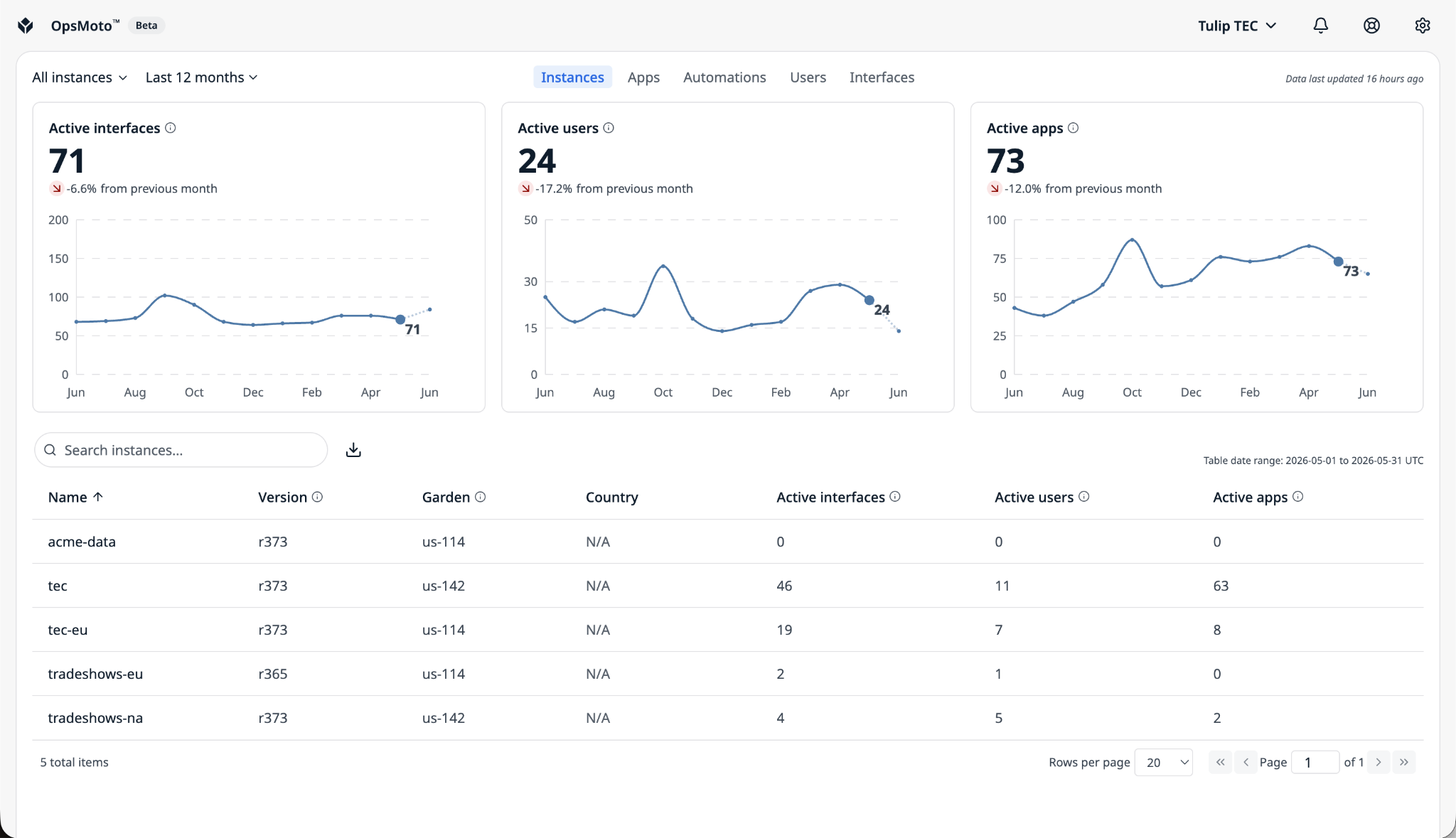
In the top-left, there are two filters, instance and data, which are maintained as you navigate across pages.
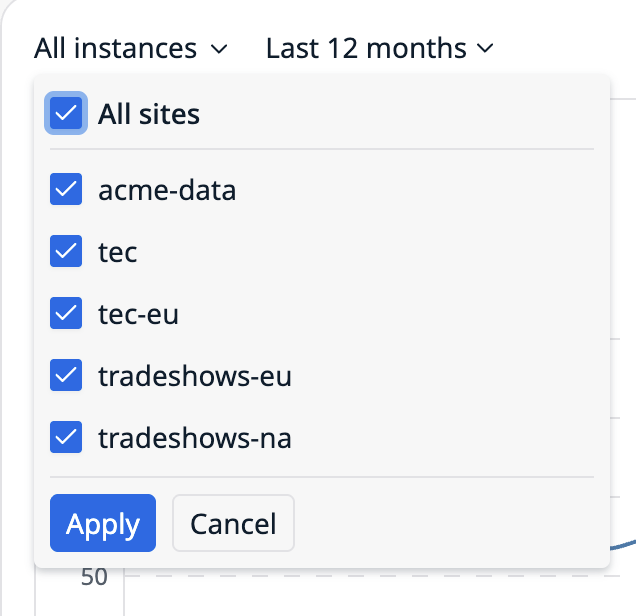
Instance filter
Use the instance filter to select which instances you want to view.
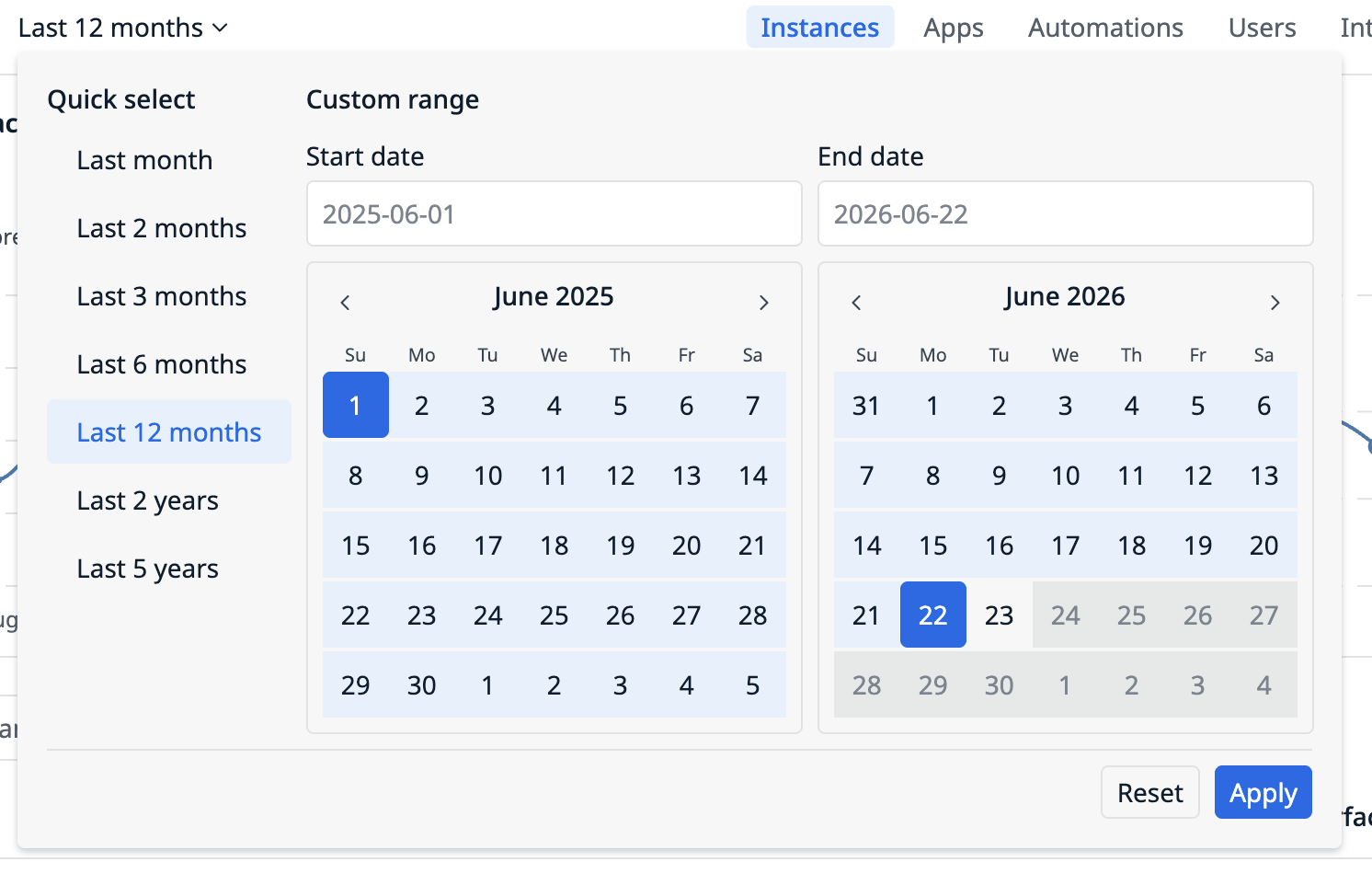
Date filter
Use the date filter to select the datetime range for the charts below. You can use the quick select presets or the custom range.
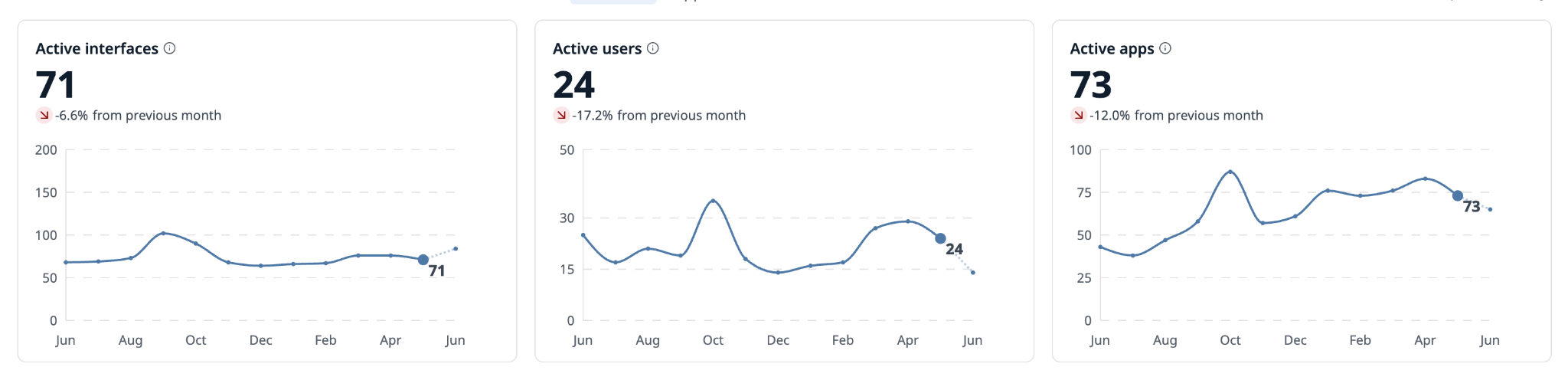
Charts
Each page has its own set of interactive charts that present key metrics for a given page. When you click a month in the chart, the date range for the table below will adjust.
Table
The table contains detailed information on a given asset. By default, its date range is the last full month.
Use the pagination controls to view more rows in the table.
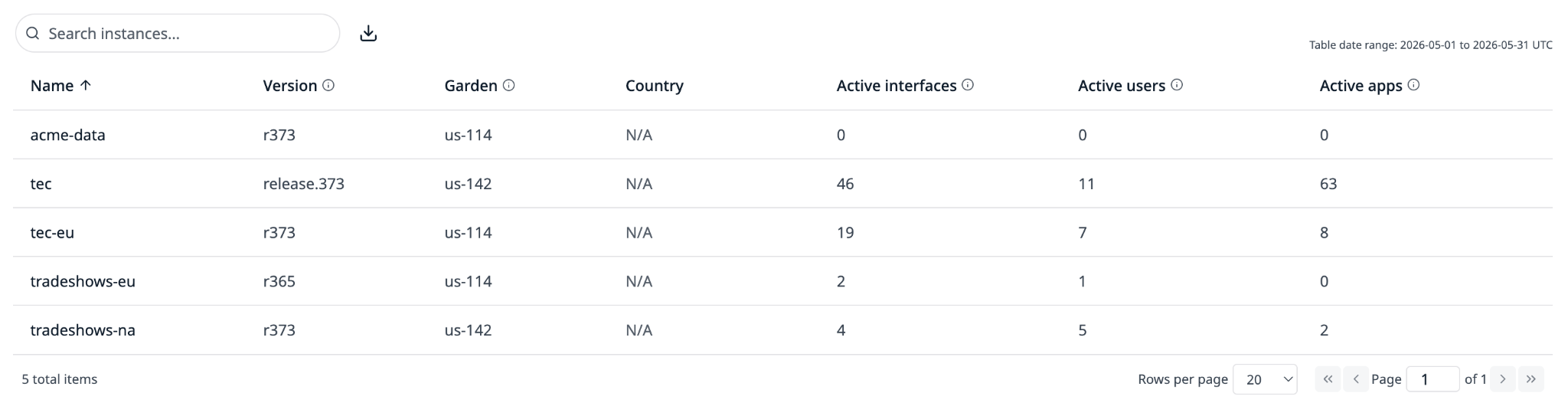
Table features
Use the search bar to find data within the table.
Hover over a column name and click the three-dot menu to access column filters, table sorting, and pin and hide options.
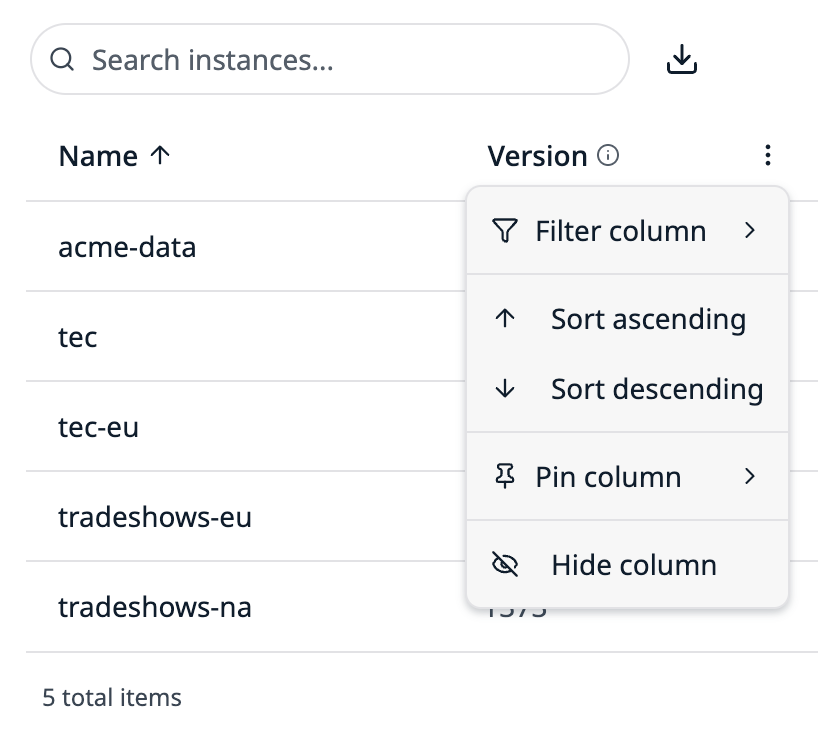
Click the Download icon to download the table as a CSV.
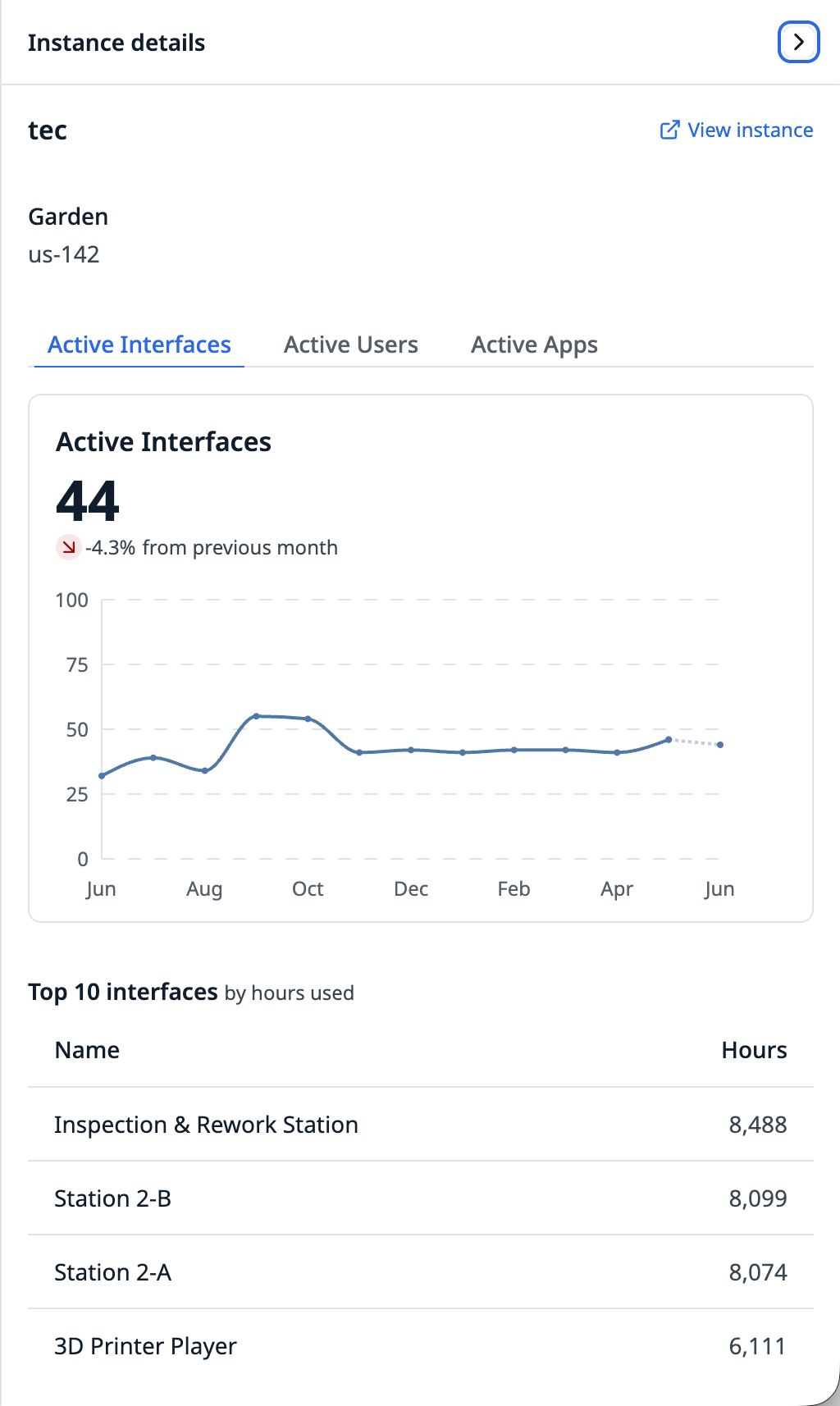
Details panel
Click on a row in the table to view detailed information on that item in a side panel.
Resources
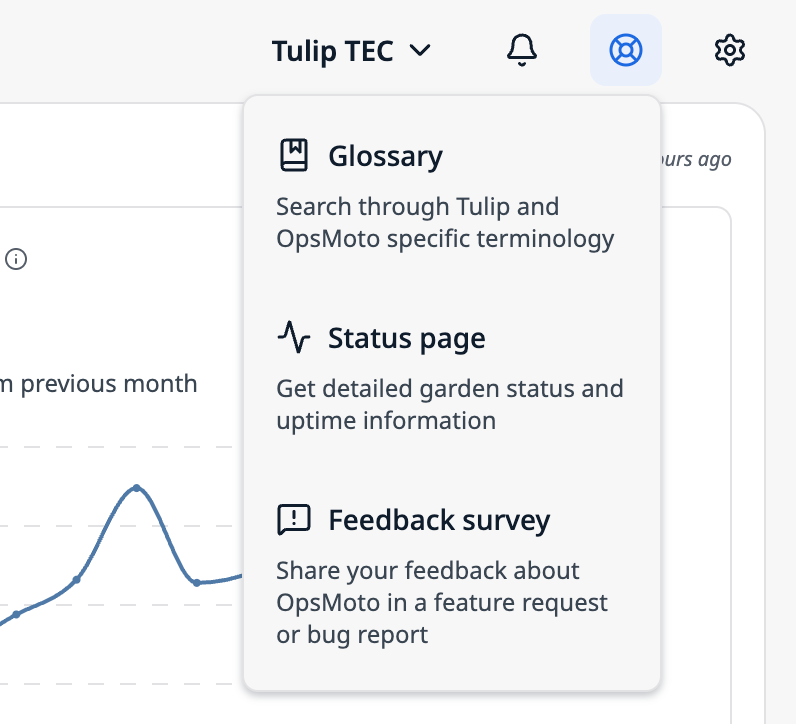
Resources are available via the icons in the top right corner.
The Bell button opens a What’s new panel that shows the latest features added.
The Resources menu includes links to:
- A glossary of OpsMoto terminology
- Tulip’s garden status page
- A feedback survey
Settings
Click the gear icon to access the Settings menu and the Logout button for all users.
Organization administrators can also access the Settings page, where they can manage users in OpsMoto, instance locations, and AI features.
AI chat
The AI chat must be enabled per organization. If you don’t see it, ask an organization administrator to enable it in Settings.
The OpsMoto AI chat can answer questions about your OpsMoto data, including Tulip instances/sites, apps, automations, users, workspaces, interfaces, newsfeed events, and metrics like station hours, completions, and runs. The AI chat does its best to provide answers from data it can access. If OpsMoto doesn’t have the data, the chat will say so rather than guessing.
The OpsMoto AI chat will decline off-topic questions, such as general knowledge, coding help, or info about other products.
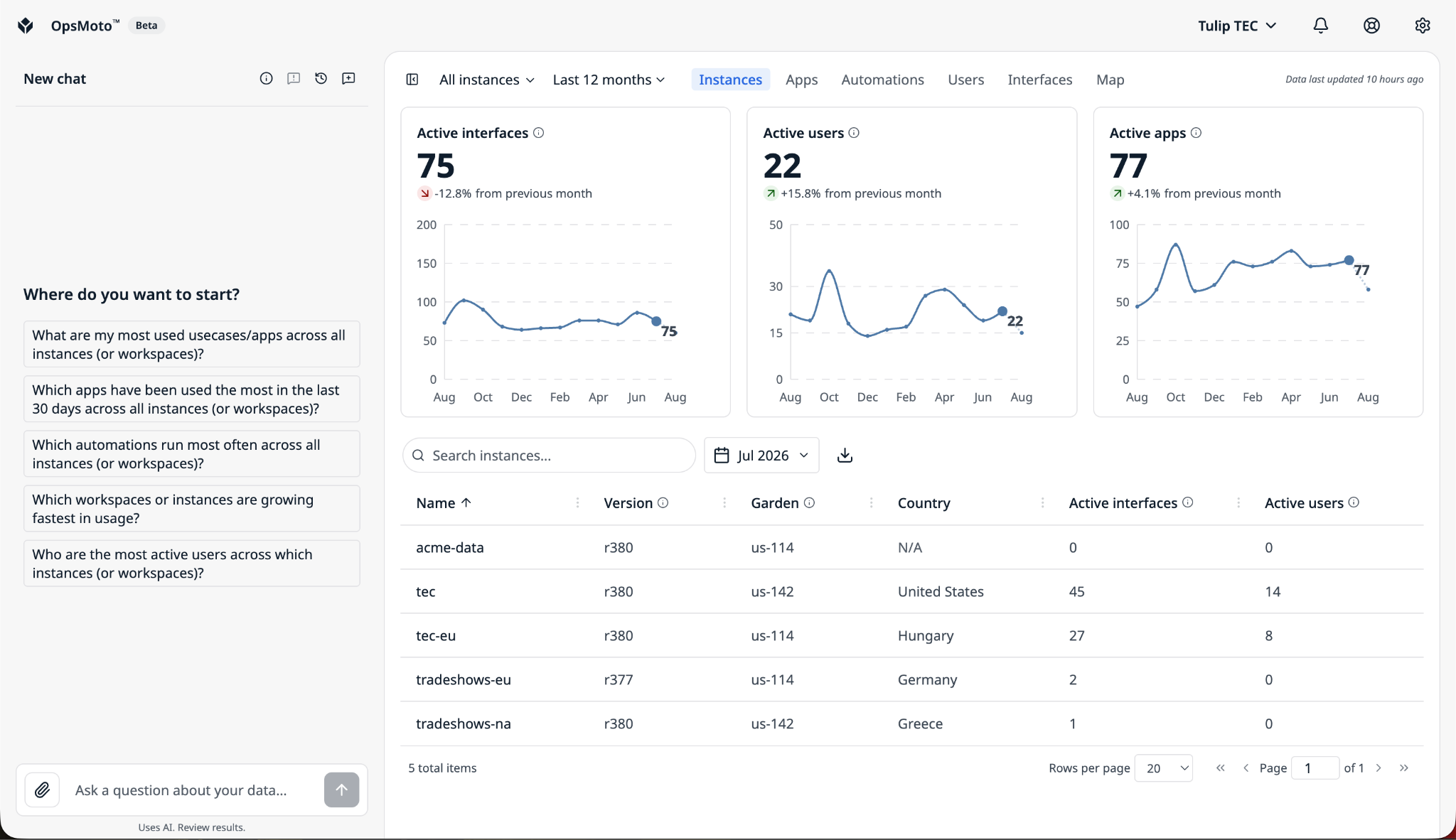
AI chat is strictly read-only and cannot modify data.
It does not have access to GovCloud or FedRAMP data.
OpsMoto AI chat
The AI chat interface is located on the left side of the OpsMoto page.
To open or close the chat, use the open/close button next to the instance selection.
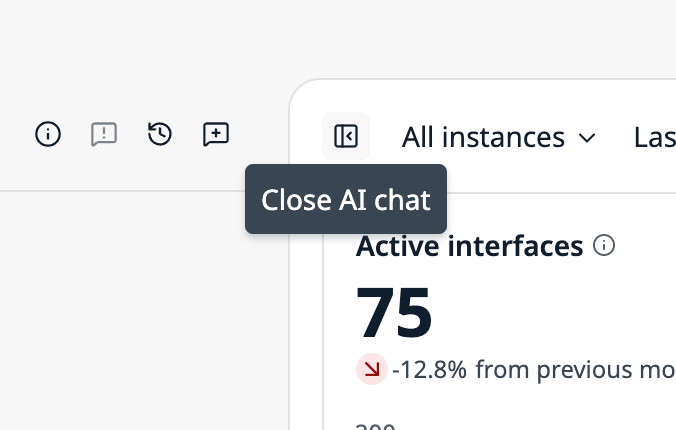
To resize the panel, drag the right border horizontally, up to 50% of the screen width.
The AI chat is made up of the following elements:
- Header - Create new chats, open previous chats, provide feedback on the AI experience, and view information about the chat, including how to get started and how your data is kept safe.
- Body - The place where content is shown in a chat. In a new chat the body has starting prompts to choose from.
- Input - Where you type questions or responses and attach files.
Expand a visualization
If the chat returns a data visualization or table that appears too small in your chat panel, use the expand button, next to the visualization’s name, to view it fullscreen.
Export a visualization
To locally save a data visualization from the chat, click the export button, to the right of visualization’s name, to download it to your desktop.
Visualizations can be downloaded in PNG or SVG formats.
FAQ
Who has access to OpsMoto?
OpsMoto is managed by your CSM and designated Tulip leads in your organization. It has a separate login from your Tulip instance.
My organization is workspace-based, can I see my data by workspace rather than by instance?
Yes, Tulip can enable a workspace view when your organization is being set up in OpsMoto.
Is the data I am seeing in real-time?
No, we sync data on a daily basis. So if you are looking at OpsMoto on January 2nd, you will see all data generated by your instances up to January 1st.
What does OpsMoto mean?
OpsMoto is a combination of two words. Ops means operations, since we are focused on delivering metrics relevant to your operations. Moto is a Japanese word meaning origin, source, or foundation, because this tool is the foundation from which you can understand your operations in Tulip.
Can the OpsMoto AI Chat see other customers’ data?
No. Every query is automatically scoped to your organization’s own instances.
How does the chat access data?
The chat is read-only by design. Queries run as a read-only database user. It cannot perform writes or schema changes.
What is the scope of the data the chat can access?
The chat is scoped to your org and cannot read across organizations. The database row-level security limits every query to your organization’s allowed instances.
What data can the chat query?
The chat can query a restricted data surface. OpsMoto AI Chat can only query a fixed allowlist of operational analytics tables. Sensitive and internal data (e.g. account records, training enrollments, and infrastructure details) is off-limits at the database layer.
How are queries validated?
Each generated query is parsed, checked, and validated before it runs. Only single-read queries are permitted; system functions and other unsafe patterns are rejected.
Does the chat have any protection?
The chat uses prompt-injection defenses. We’ve built several layers of state-of-the-art lines of defense to keep your data safe from prompt-injection.
Which AI provider does the chat run on?
OpsMoto AI Chat is powered by Claude models running in AWS Bedrock within Tulip’s own AWS environment.
Did you find what you were looking for?
You can also head to community.tulip.co to post your question or see if others have solved a similar topic!