

简介与目的
Download the pdf Generator API Connector from the Tulip Library.
通过此连接器,您可以从 Tulip 生成受密码保护的 PDF 报告。
先决条件——在 PDF 生成器门户中进行设置
- 创建您的账户{
target=_blank} - 创建模板并保存。
- 在“仪表盘”页面中,复制模板 ID,该 ID 将在“生成 PDF”连接器功能中用到。
如需了解有关创建模板的更多信息,请参阅PDF Generator 支持门户{target=_blank}。
应用设置
Use the expression editor to create a JSON object
The data input for populating the PDF template must be formatted as a JSON. As a result, you will need to use the expression editor to wrap your data and format it as a JSON object.
以下是一个示例:

连接器环境设置
- 主机:us1.pdfgeneratorapi.com
- 协议:HTTPS(已启用 TLS)
- 身份验证:OAuth 2.0(Bearer 令牌):::(Info) (Important Authentication Detail)
The JWT token are generally valid for 15 minutes, i.e. you will need to regenerate your temporary tokens and update the connector configs since JWT is not natively supported yet.
:::
连接器功能
-
生成 PDF 文档——该功能以模板 ID 和 JSON 格式的数据作为输入,用于填充内容并生成 PDF 文档。
- 请在请求正文中更新template.id。
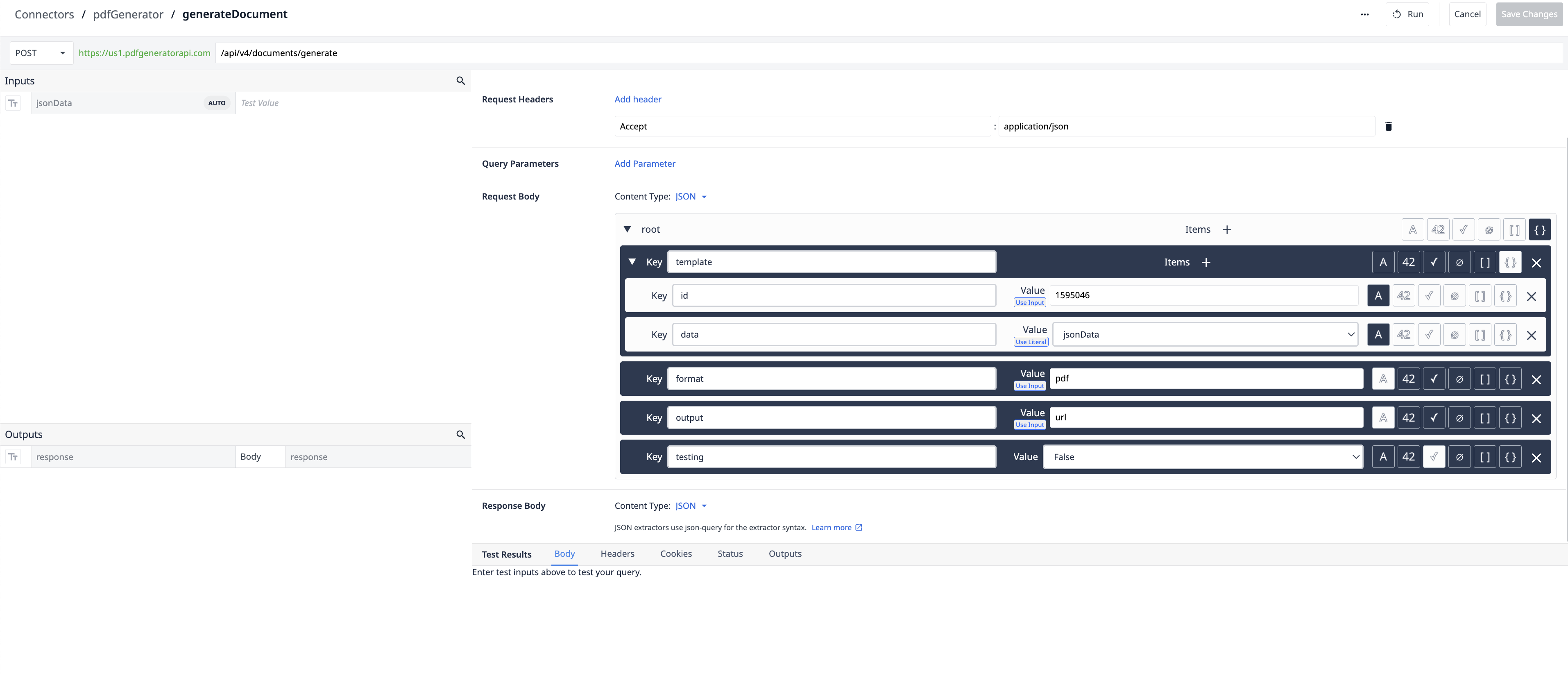
- 请在请求正文中更新template.id。
-
加密文档——此功能接收来自上述连接器函数的 URL,并生成访问该文档所需的密码。
- 请在请求正文中更新owner_password和user_password。
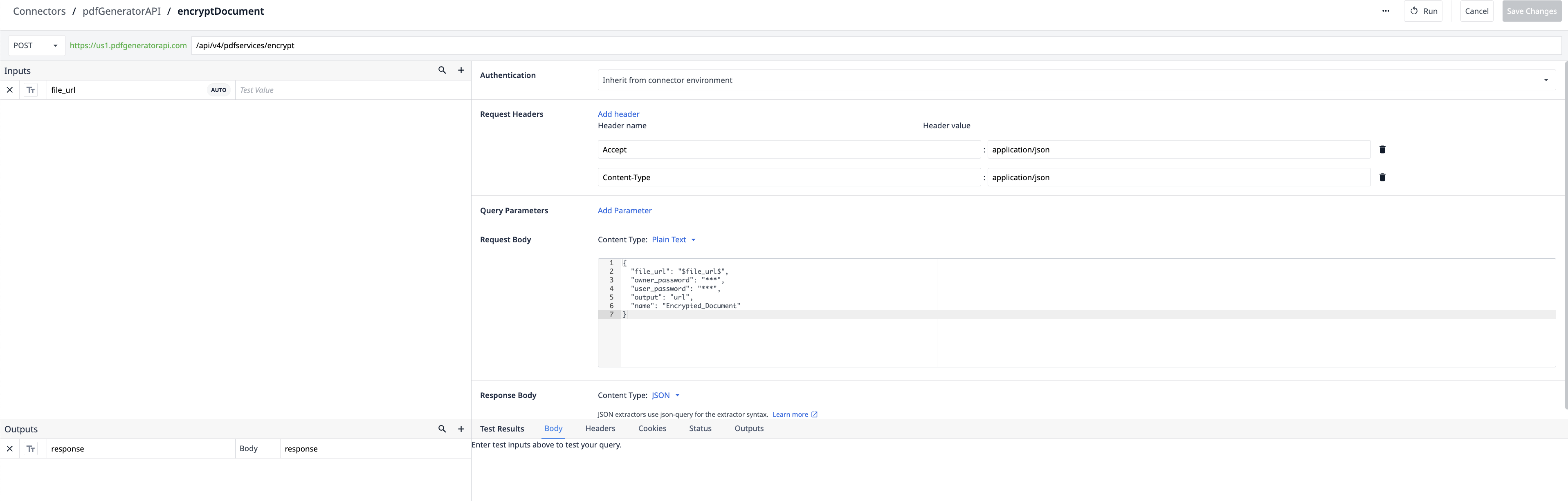
- 请在请求正文中更新owner_password和user_password。
进一步阅读
如需更多资源,请访问 PDF 生成器 API知识库{target=_blank}。
在“连接器文档”{target=_blank}中了解有关 Tulip 连接器的更多信息。
如需提问、分享想法或讨论用例,请加入Tulip 社区。