Set up an Edge MC
Prev Next This content is currently unavailable in Korean. You are viewing the default (English) version.
How to set up Edge MC for the first time.
The Edge MC uses the same Device Portal as the Edge IO and I/O Gateway. This article will outline how to connect the device.
Physical Setup
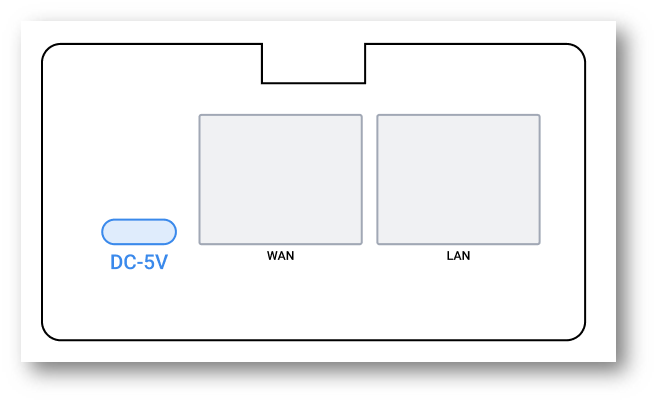
- Locate DC-5V USB power port
- Plug supplied USB power supply
- Plug the other end of the power cable into a power outlet
Power Requirements
The Edge MC needs at least 2.5A to properly function.
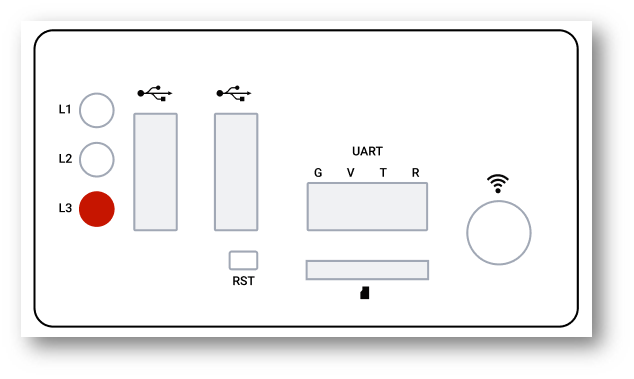
- Verify red LED turns on and blinks
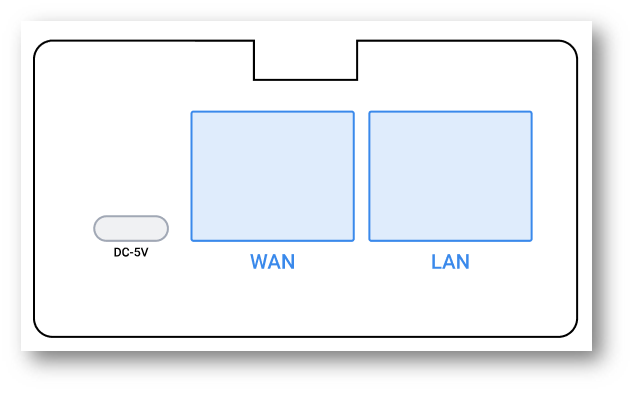
- Plug Ethernet cable into WAN port
- Plug the other end into an active Ethernet outlet
Next step:
Register your Edge MC to your Tulip account
Edge IO
Edge MC is a Tulip-developed Edge Device. run Node-RED flows on dedicated hardware with built-in security and stability.
Edge Mc can also act as a Connector Host or OPC-UA Broker
Device Portal
The Device Portal is the home where you can configure Light Kits and Edge Drivers, see Edge Device network status, and more.
Edge IO
Edge IO is a Tulip-developed Edge Device. Interface with digital inputs directly from Triggers, flip digital outputs, run Node-RED flows, and more!
Edge IO can also act as a Connector Host or OPC-UA Broker

