


The AI Chat widget (formerly Frontline Copilot® Operator Chat Widget) is designed to empower your users to swiftly navigate from problems to solutions in a secure, scalable, and efficient manner.
Leveraging Tables, including rich media such as PDFs and images, the AI Chat widget gives your users the ability to extract answers from diverse data sources within the product.
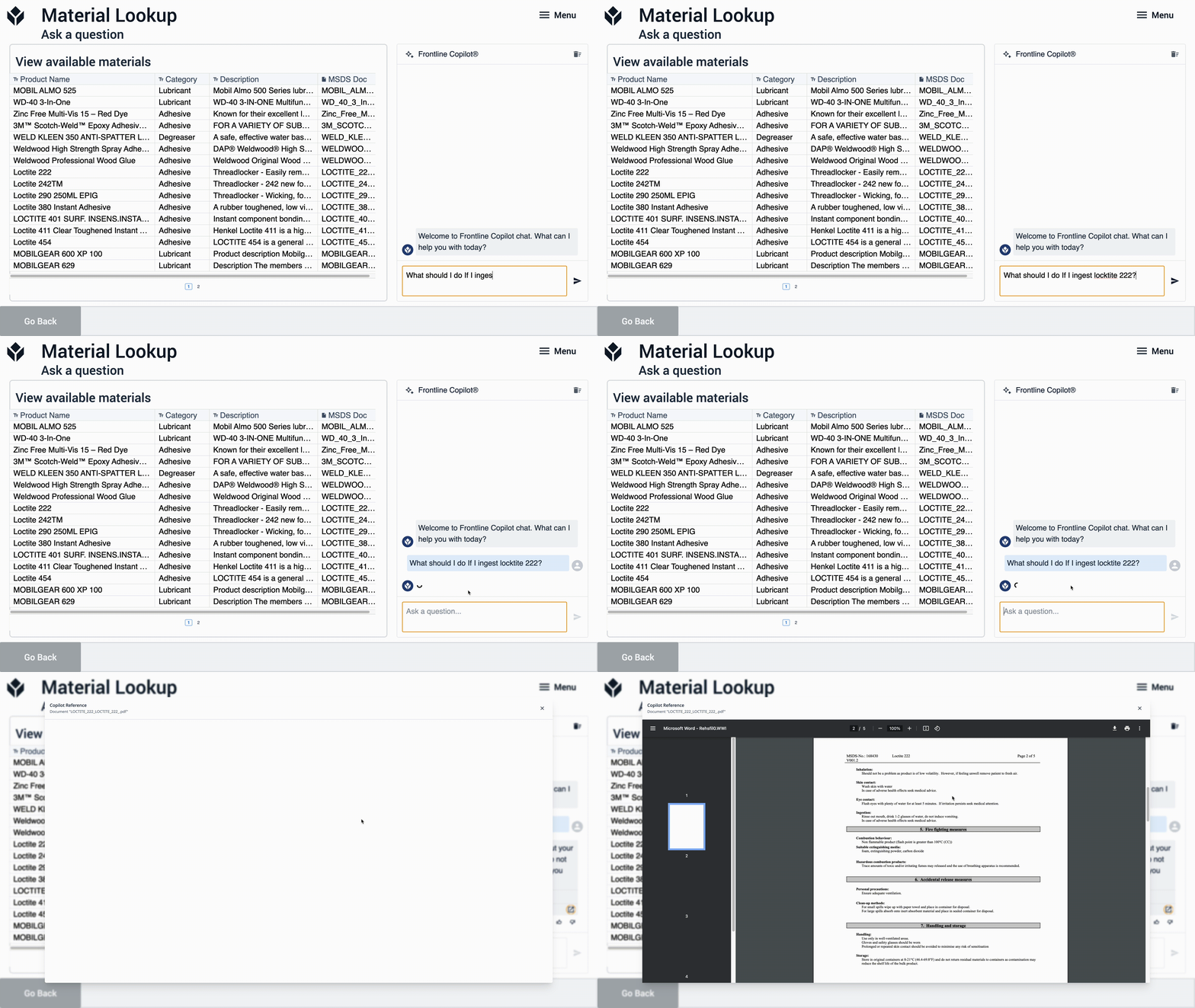
This widget learns from both the raw data stored in Tulip tables and the information contained in documents within those tables, presenting it to users through a simple chat interface. Whenever records are created or updated within a Tulip table, the AI chat widget is automatically retrained to incorporate the latest information, ensuring that responses are always based on the most up-to-date data available.
Use cases
The flexibility of this search functionality opens up a wide array of potential use cases:
For maintenance departments:
- Quickly look up error codes from machine manuals.
- Retrieve recommended actions for machine repairs.
- Identify necessary supplies for specific machines.
For quality teams:
- Provide safety data sheets in response to queries.
- Conduct rapid audits of work instruction documents.
For production teams:
- Guide users to solutions using an Issue:Solution table.
- Direct supervisors and trainers to relevant work instructions on the production floor.
For engineering teams:
- Search through existing training documents.
- Look up available materials or supplies.
- Retrieve print specifications.
Best practices
The AI Chat widget is designed to extract information from tables and excels at specific tasks.
In manufacturing, where extensive documentation and information exist, the AI Chat widget is built to find and deliver this information to users in natural language. It is particularly useful for tasks such as retrieving relevant information from PDFs or identifying past solutions from tables of previous issues and resolutions.
However, the AI Chat widget cannot answer questions like:
- "How many scrapped parts did I have yesterday?"
- "What is our biggest scrap rate today?"
- "Make me a paredo breakdown of Scrap"
For these kind of questions, we recommend using Chat with Tables.
This limitation is intentional. AI Chat aims to provide users with enough information to validate accuracy of any response. Operators closest to manufacturing seldom have the access to confirm the accuracy of aggregated data before acting on it.
Add the widget
-
In the app editor, click Embed and select AI Chat.
-
Resize and position the widget.
-
Select which table the chat experience should learn from.
-
Click Train.
Training will take 3-5 seconds per record and 3-5 seconds per page of PDF included in records.

Hovering over the status in the Training state will show the progress.
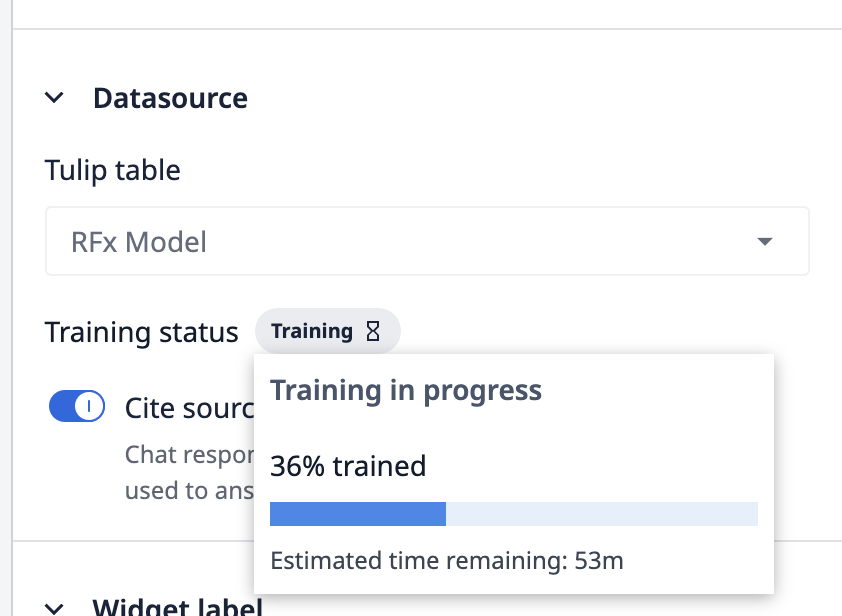
- When the Training status changes to Trained, the widget is ready to use.
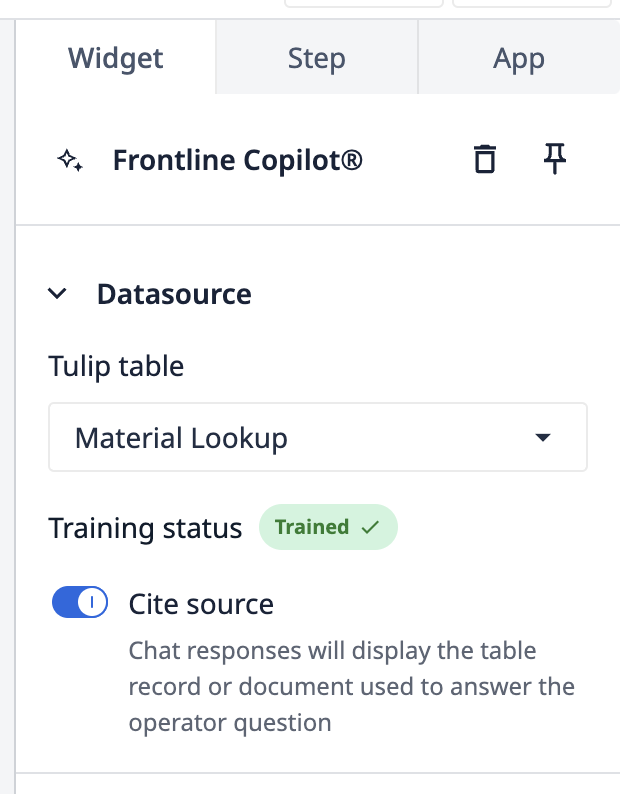
AI Chat widget statuses
| Status | Description |
|---|---|
| Untrained | AI chat is ready to learn |
| Training | AI chat is ready to learn |
| Trained | AI chat is ready to be used. All records and documents have been learned |
| Partially Trained | AI chat is ready to be used, but some documents or records could not be trained. |
| Updating | AI chat is learning new or updated information. |
| Failed | Reach out to support@tulip.co for more information. |
Limits
The following limits are in place for all Tulip AI
- AI chat can read PDFs in the following languages:
- English
- Spanish
- Italian
- Portuguese
- French
- German.
- For each table: the first 10,000 Records will be encoded (by creation date)
- For each PDF: 500 page limit, encoding will fail on larger documents.
- For each instance:
- Count of Tables that can be trained
- Essentials: 1
- Professional: 3
- Enterprise and Regulated Industries: 10
- Maximum count of updates that will be retrained monthly. This excludes initial training.
- Essentials: 20,000 Updates/Month
- Professional: 60,000 Updates/Month
- Enterprise and Regulated Industries: 100,000 Updates/Month
- Count of Tables that can be trained
Other limitations
The following languages are the only languages supported for documents where values are being extracted: English, Spanish, Italian, Portuguese, French, German.
- CSV files uploaded to tables after the chat widget has been trained will not be atomatically processed and may not be accessible to AI chat.
- Subsequent edits to these records will lead to them being accessible to operators.
- Any CSV upload before the AI chat widget is trained will be processed.
- All PDFs must not be password protected.
- Only Image and PDF file types can be trained upon, not CSV, Text, gcode, or other file types that can be stored in tables.
- Images must be below 5MB to be processed.
Did you find what you were looking for?
You can also head to community.tulip.co to post your question or see if others have solved a similar topic!
.gif)