

Users on Enterprise plans and above.
Export import diagram
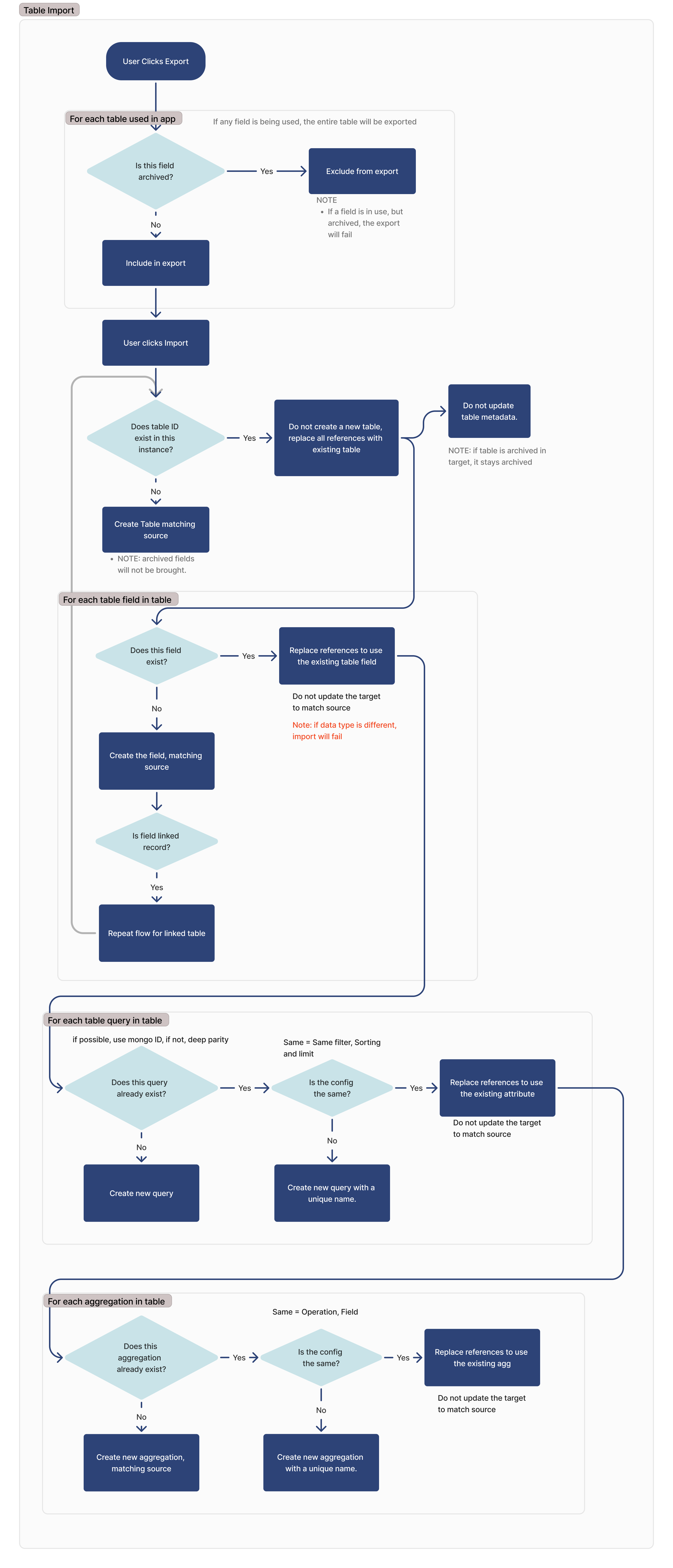
Below is the entire transfer flow for Tulip Tables, Queries, and Aggregations. This document will provide a detailed explanation of this flow.
Custom user fields and machine activity tables
The flow described below also applies to how custom user fields tables and machine activity field tables are exported and imported.
Export
During the export process, the exported application or automation will include every table in use within that application. A table is considered in use if any of the following conditions are met:
- Shown in a “Table Record” widget
- Used in an input widget
- Shown in an interactive table
- Used in a trigger
- Used in an automation action
- Used in an automation event block
- Used in a filter for a table query, interactive table, or analysis widget
- Used as an input or output for a custom widget
If a field is archived, it will not be exported. If a field is archived but in use, the export will fail.
Import
Find a same table
To identify matching tables on import, we look for matching IDs. If a table with the same ID is found, we do not create a new table and rely on the existing one.
If a table is archived on the source and does not exist on the destination, the table is created on the destination and will be archived.
If the table in the source instance is archived, it will remain archived. An archived table stays archived; an unarchived table stays unarchived.
For each table field
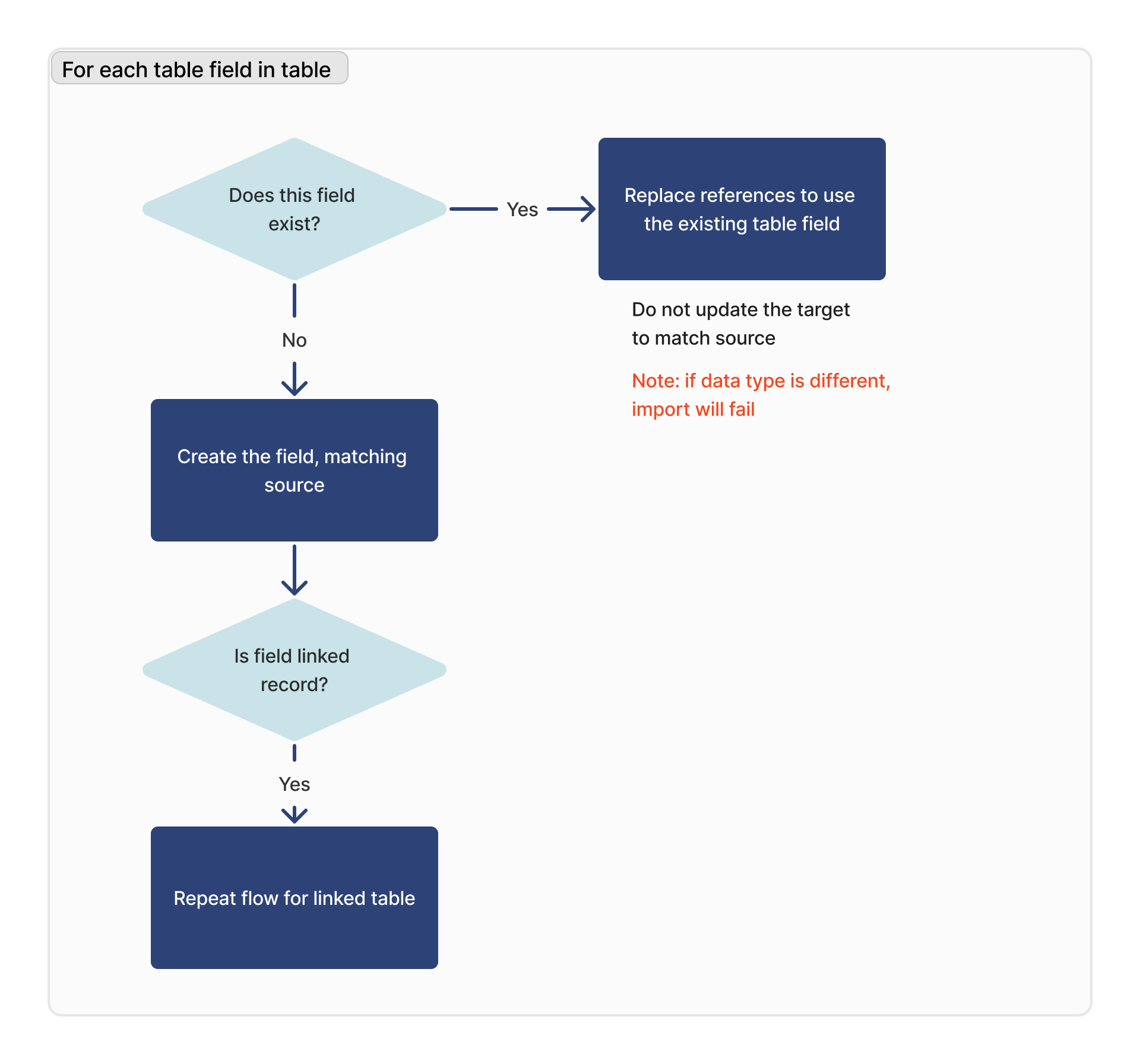
For each table field, we look for a matching field based on the column ID of that respective field.
If the data type of the matching field is different, the import will fail.
If the field is a linked record field, the linked table will be added to the list of dependencies for the import, and this flow will be repeated for that table.
If a field is archived on the source and does not exist on the destination, it is created on the destination as unarchived (note: this is different from table behavior).
If a field already exists on the destination, its archived status is never updated by import. An archived field stays archived; an unarchived field stays unarchived.
When exporting a table directly, archived fields are not included. However, if an archived field is referenced by an app, it will be included in the export (with the above import rules applying).
For each query
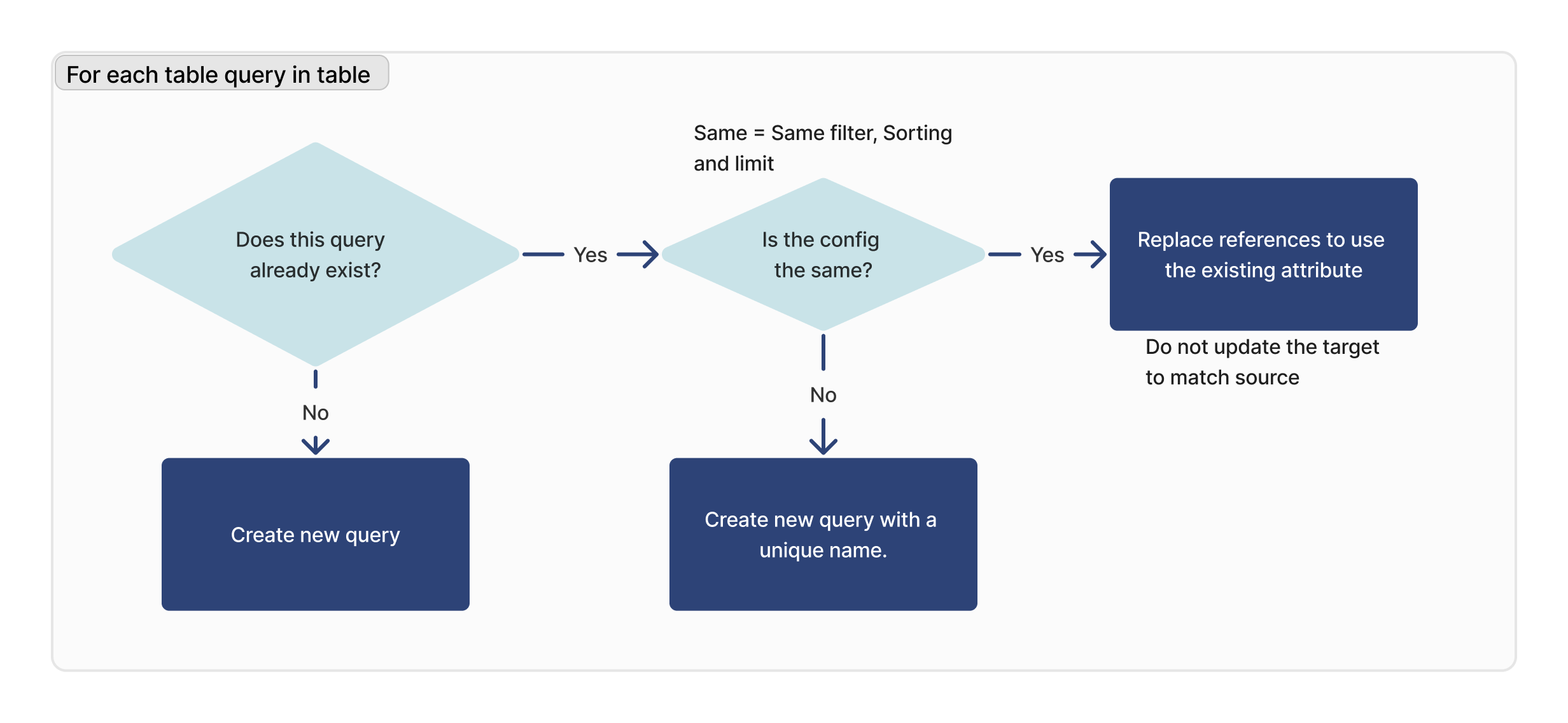
For each query in the imported table, we check if that query exists. If a matching ID is found, we verify that the configuration is identical (limit, sorting, and filtering) between the target and source.
If a matching query cannot be found, a new query will be created. If a matching query is found, but it is not identical to the target instance, a new query will be created with a new name.
Note: This does not apply to custom user fields or machine activity tables.
Updates to Import/Export behavior reduce duplicates. Table queries now import as a development version. The table query will only import as a snapshot if the same query already exists and has a different configuration.
Previous behavior (which still exists in instances r329/ LTS14 and previous) imported snapshots as snapshots and development versions as development versions.
For each aggregation
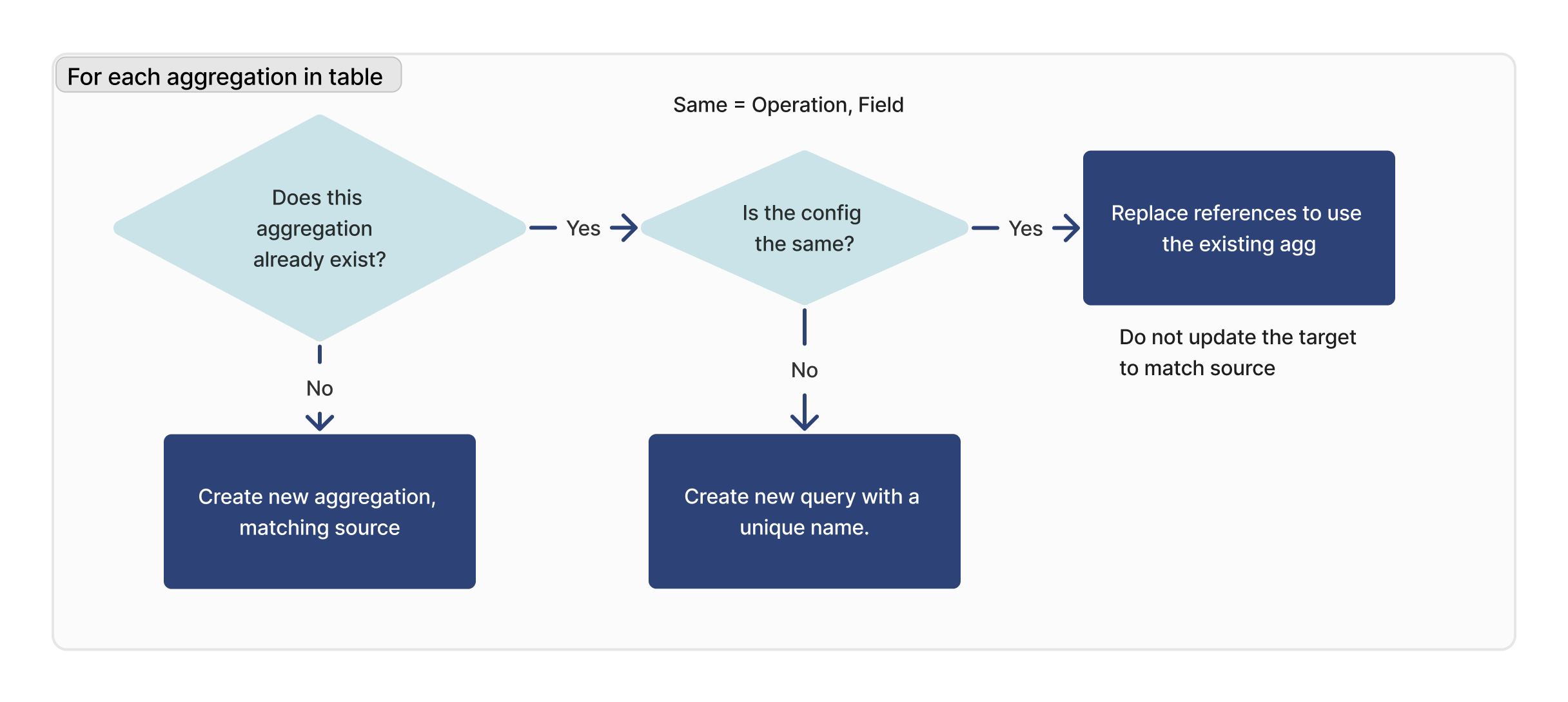
For each aggregation in the imported table, we check if that query exists. If a matching ID is found, we verify that the configuration is identical (operation, field) between the target and source.
If a matching aggregation cannot be found, a new aggregation will be created. If a matching aggregation is found, but it is not identical to the target instance, a new aggregation will be created with a new name.
Note: This does not apply to custom user fields or machine activity tables.
Updates to Import/Export behavior reduce duplicates. Table aggregations now import as a development version. The table aggregation will only import as a snapshot if the same aggregation already exists and has a different configuration.
Previous behavior (which still exists in instances r329/ LTS14 and previous) imported snapshots as snapshots and development versions as development versions.
Did you find what you were looking for?
You can also head to community.tulip.co to post your question or see if others have solved a similar topic!