

Here's how to send texts when a certain Trigger fires.
Overview
If you want to use a Trigger to send an SMS to someone within your organization, you need to ensure the recipient has validated their cell phone number within Tulip.
SMS messages from Tulip cannot be sent to landlines.
From the User List, Account Owners can see a user's phone numbers under each user profile. If the phone number is red, then the user has not validated their phone number.
Trigger actions
Use the following Trigger actions to send an SMS:
- Send SMS: Send a text to a Tulip administrator who has added their phone number.
- Send SMS with image: Send a text and an image to a Tulip administrator who has added their phone number.
Limits
| Limit | |
|---|---|
| SMS sent | 20 per user per minute |
Add a phone number
If the phone number is missing, that means the user needs to add their cell phone number to their user profile. The user must add the phone number within their own user profile. Account Owners cannot add a phone number on behalf of other users.
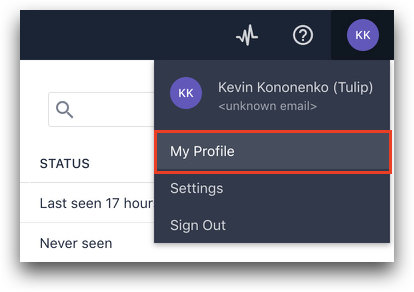
- In your Tulip instance, click on your user icon in the top right corner. Select My Profile.
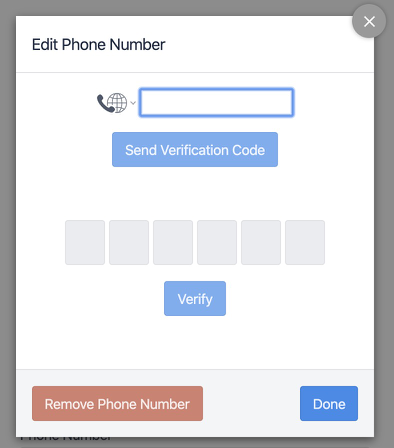
- Enter your phone number.
- Click Validate and once your device receives an SMS, enter the code from the message.
- Click Done.
Did you find what you were looking for?
You can also head to community.tulip.co to post your question or see if others have solved a similar topic!